



Centrum pomocy
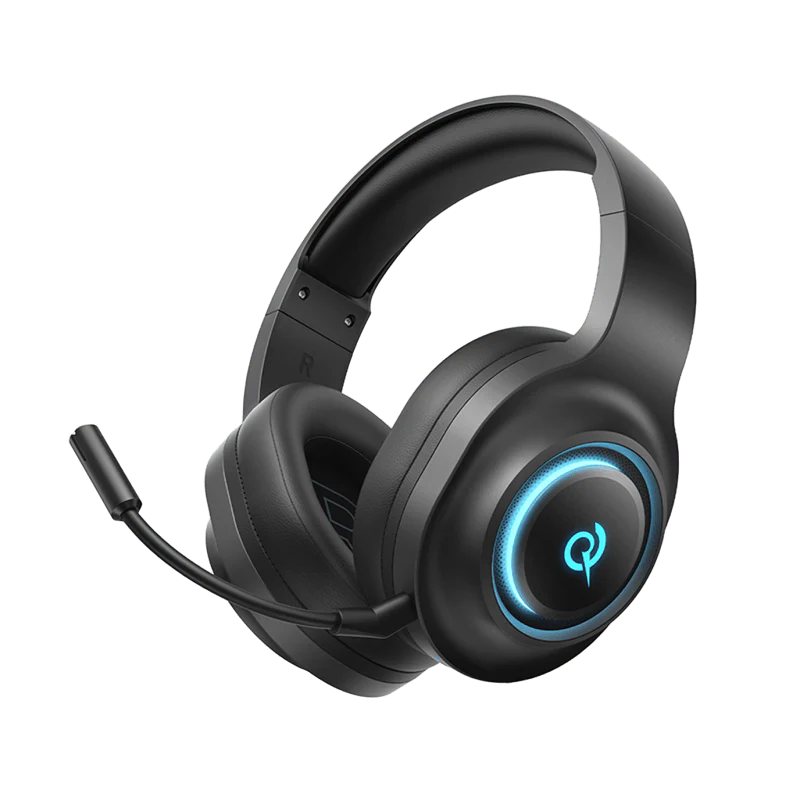
V200 w wersji Tri-Mode
Znajdź przewodniki po produktach, porady dotyczące rozwiązywania problemów, instrukcje obsługi oraz informacje o obsłudze klienta.
Najczęściej zadawane pytania
Jak zainstalować sterowniki H4GM na komputerze?
1. Podłącz pamięć USB o pojemności 2,4 GB do komputera.
2. Kliknij poniższy link, aby pobrać sterownik: Sterownik do komputera Heroad V200 Tri-Mode Edition (wersja 1.0.0.5)
3. Kliknij, aby pobrać.
Dlaczego moje słuchawki wyłączają się automatycznie po odłączeniu?
Słuchawki wyłączają się automatycznie po 30 minutach bezczynności.
Jak długo wystarcza bateria w moich słuchawkach?
80 godz.
Jak zresetować słuchawki?
Naciśnij i przytrzymaj wielofunkcyjny przycisk M przez 10 sekund (nie można tego zrobić podczas ładowania). Czerwona i niebieska dioda będą migać na przemian trzy razy, sygnalizując pomyślne wykonanie operacji.
Jak korzystać z połączenia przewodowego?
Podłącz słuchawki do komputera za pomocą kabla 3,5 mm – Type-C.
Jak zaktualizować oprogramowanie sprzętowe?
Zaktualizuj oprogramowanie w aplikacji QCY. Przed aktualizacją:
1. Upewnij się, że w słuchawkach znajduje się bateria o pojemności co najmniej 20%.
2. Upewnij się, że obie słuchawki są połączone z aplikacją QCY.
3. Nie używaj słuchawek podczas aktualizacji.
4. Trzymaj słuchawki w etui ładującym z otwartą pokrywką.
Jak korzystać z funkcji ANC w trybie przewodowym?
Podłącz komputer i słuchawki za pomocą kabla USB-A do Type-C.
Nadal potrzebujesz pomocy?
 Zadzwoń do nas+1 (917) 807-6754
 Prześlij opinięPrześlij tutaj
 Porozmawiaj z nami
 Obsługa klientaservice@qcyearphone.com
 Marketing i współpraca partnerskarice@qcyearphone.com
 Zapytania prasowepr@qcyearphone.com