



Centre d'assistance
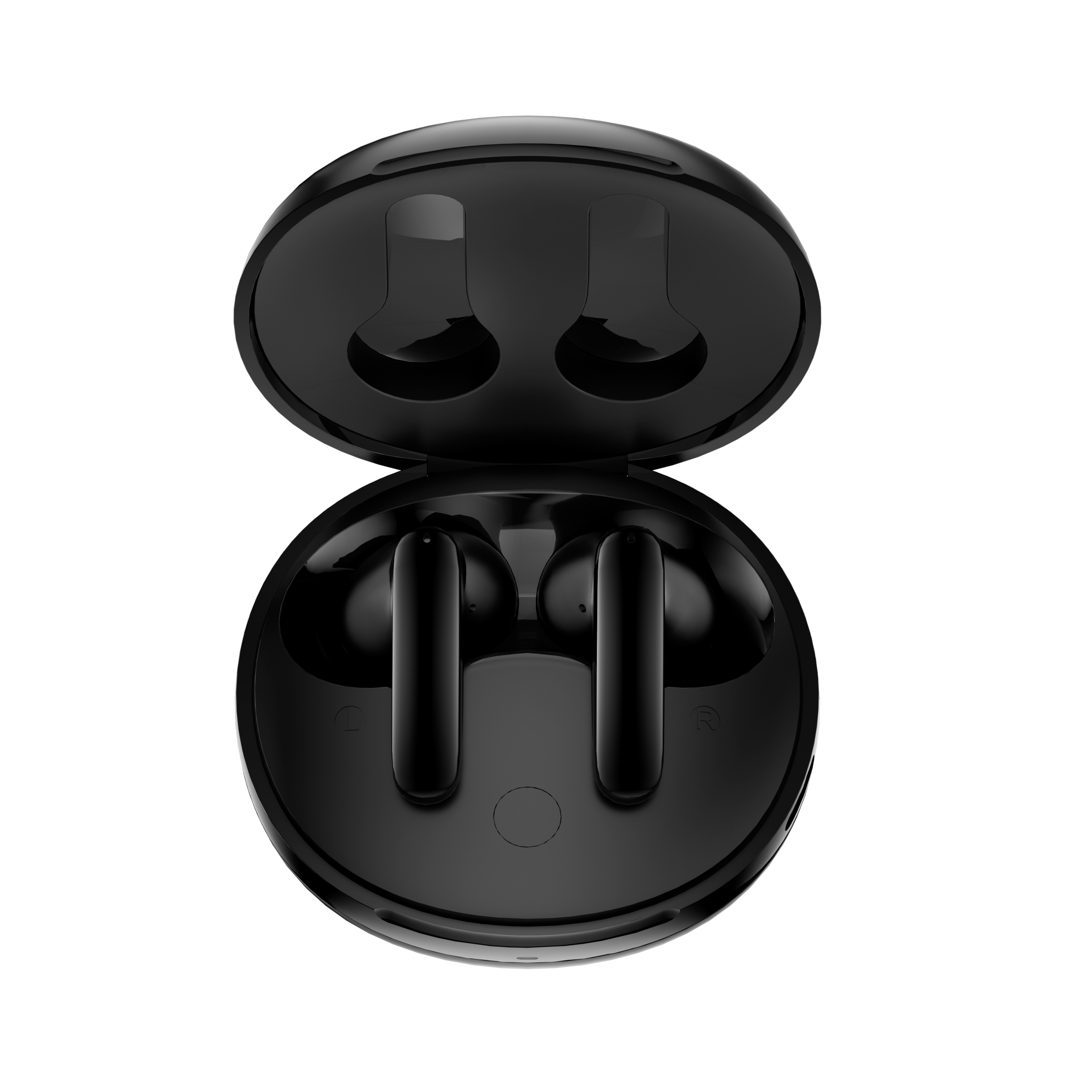
T13 ANC 2
Accédez aux guides produits, aux solutions de dépannage, aux manuels et au service client.
FAQ
Que puis-je faire si les commandes tactiles ne fonctionnent pas ?
Essayez la méthode suivante :
1. Assurez-vous de toucher la zone de commande.
2. Veillez à avoir les mains sèches. Si vos mains sont mouillées, les commandes tactiles risquent de ne pas fonctionner correctement.
3) Réinitialisez les écouteurs.
Comment se connecter à l'application QCY ?
1. Téléchargez l'application QCY.
L'application QCY est disponible sur les appareils iOS et Android. Elle peut être téléchargée depuis le Google Play Store ou l'App Store d'Apple.
2. Connectez les écouteurs QCY à votre appareil via Bluetooth (par exemple, un smartphone ou une tablette)
3. Utilisez l'application QCY pour profiter pleinement de votre produit.
Pourquoi l'application QCY demande-t-elle l'accès à la localisation ?
L'application elle-même n'a généralement pas besoin d'accéder à la localisation. Cependant, lorsque la technologie Bluetooth Low Energy (BLE) est utilisée pour localiser vos écouteurs, Android exige l'autorisation d'accès à la localisation.
Si vous préférez ne pas partager votre position, fermez l'application et réessayez de vous connecter.
Que dois-je faire si mes écouteurs n'apparaissent pas dans l'application QCY ?
1. Appairez les écouteurs avec votre téléphone.
2. Ouvrez l'application QCY, faites défiler vers le bas, puis cliquez sur " Ajouter des appareils "."
3. Si " T13 ANC 2 " s'affiche, sélectionnez-le pour vous connecter.
4. Si ce n'est pas le cas, cliquez sur " Configuration manuelle " et sélectionnez " T13 ANC 2 " dans la liste pour vous connecter.
Pourquoi les écouteurs restent-ils connectés à mon appareil même après avoir été placés dans le boîtier de recharge, dont le couvercle est fermé ?
1. Assurez-vous que les écouteurs sont bien en place dans leur boîtier.
2. Nettoyez les contacts de recharge des écouteurs et du boîtier afin de garantir une bonne connexion.
3. Si le problème persiste, contactez notre centre de service.
FAQs for Product Support Detailed Pages ShareFileEditViewInsertFormatDataToolsExtensionsHelpAccessibility ¥%123 Default (Arial) What should I do if the earbuds don’t turn on when taken out of the charging case? Crossky GTR2MeloBuds NeoAilyBuds ClearCrossky C30MeloBuds ANCT13 ANCT13T13XArcBudsMeloBuds proT13 ANC 2AilyBuds pro+H3H3 ProH3 LiteH2 ProQCY Watch GT2 GS2GSActive GT GT Urban GSEliteWhat should I do if the earbuds don’t turn on when taken out of the charging case?What should I do if the earbuds don’t turn on when taken out of the charging case? C6 What should I do if the earbuds don’t turn on when taken out of the charging case? C6
1. Assurez-vous que les écouteurs sont chargés.
2. Vérifiez que les embouts sont bien en place.
3. Si les écouteurs ne s'allument toujours pas après la recharge, contactez notre service après-vente.
La batterie de mes écouteurs se décharge trop vite. Que puis-je faire ?
Pour prolonger l'autonomie de la batterie de vos écouteurs, suivez ces conseils :
- Baisse le volume.
- Désactiver la réduction active du bruit (ANC)
- Désactivez les fonctionnalités intelligentes et l'audio spatial.
- N'utilisez qu'un seul écouteur pour passer des appels téléphoniques.
- Éteignez les écouteurs lorsque vous ne les utilisez pas.
Comment puis-je vérifier le niveau de batterie des écouteurs ?
Appairez les écouteurs avec l'application QCY sur votre téléphone pour vérifier le niveau de batterie.
Pour télécharger l'application, il suffit de rechercher " QCY " dans votre boutique d'applications.
Que puis-je faire si mes écouteurs ne se connectent pas à mon appareil ?
Étape 1. Effacez les enregistrements d'appairage entre les écouteurs et tous les appareils précédents.
Étape 2. Essayez de supprimer certaines entrées Bluetooth de votre appareil, puis redémarrez-le. Étape 3. Placez les écouteurs dans le boîtier de recharge pour les réinitialiser.
Étape 4. Retirez les écouteurs de leur boîtier de recharge. Activez le Bluetooth sur votre appareil, puis sélectionnez " QCY T13 ANC 2 " dans la liste des appareils Bluetooth pour les appairer.
Si cela ne fonctionne pas :
- Essayez de le coupler avec un autre appareil pour vérifier s'il y a des problèmes de compatibilité.
- Assurez-vous qu'aucun objet ne bloque le signal Bluetooth.
Comment connecter les écouteurs à deux appareils en même temps ?
Pour connecter deux appareils :
Étape 1. Appairez les écouteurs avec l'appareil A.
Étape 2. Désactivez le Bluetooth sur l'appareil A ; les écouteurs passeront alors en mode d'appairage.
Étape 3. Appairez les écouteurs avec l'appareil B.
Étape 3. Réactivez le Bluetooth sur l'appareil A et reconnectez-vous aux écouteurs.
Une fois cette configuration initiale effectuée, les écouteurs se connecteront automatiquement aux deux appareils la prochaine fois.
Que dois-je faire si mes écouteurs se déconnectent ou si le son est saccadé ?
Veuillez noter que cela ne signifie pas nécessairement que les écouteurs présentent un problème, mais que cela peut être lié à l'appareil connecté ou à votre environnement. Les signaux Bluetooth peuvent être perturbés par des obstacles tels que des murs, des appareils électroménagers, des interférences Wi-Fi, etc. Pour garantir une connexion stable, essayez de réduire au maximum ces obstacles.
Pour résoudre ce problème, suivez les étapes de dépannage suivantes :
1. Rechargez complètement vos écouteurs et réinitialisez-les
2. Testez avec des fichiers multimédias téléchargés : vérifiez les performances en écoutant de la musique ou en regardant des vidéos téléchargées afin d'éviter d'éventuels problèmes de streaming.
3. Essayez un autre appareil et un autre environnement : testez les écouteurs avec un autre appareil Bluetooth dans un autre endroit pour voir si le problème persiste.
Puis-je acheter un seul écouteur si j'en ai perdu un ?
Nous ne vendons pas les écouteurs séparément ; vous devrez donc acheter un kit complet.
Comment mettre à jour le micrologiciel ?
Mettez à jour le micrologiciel via l'application QCY. Avant la mise à jour :
1. Assurez-vous que vos écouteurs disposent d'au moins 20% de batterie.
2. Assurez-vous que les deux écouteurs sont connectés à l'application QCY.
3. N'utilisez pas les écouteurs pendant la mise à jour.
4. Laissez les écouteurs dans leur boîtier de recharge, le couvercle ouvert.
Que puis-je faire si mes écouteurs tombent facilement ?
Nous proposons différentes tailles d'embouts afin de garantir un bon maintien. Pour trouver la taille qui vous convient le mieux :
1. Assurez-vous de porter les écouteurs appropriés (vérifiez les logos L/R).
2. Essayez différentes tailles d'embouts.
3. Tournez légèrement les écouteurs pour trouver la position la plus stable et la plus confortable.
Comment dois-je entretenir mes écouteurs ?
1. Utilisez régulièrement vos écouteurs pour éviter une décharge excessive de la batterie. Essayez de les utiliser au moins une fois par mois.
2. Rechargez les écouteurs après chaque utilisation et n'attendez pas que leur niveau de charge descende en dessous de 20% pour les recharger.
3. Ouvrez le boîtier au moins une fois par mois pour vérifier que tout fonctionne correctement, et rechargez-le chaque mois.
4. Nettoyez régulièrement les broches de recharge des écouteurs et du boîtier.
5. Veillez à ce que les embouts restent propres et essuyez la grille métallique avec de l'alcool à 70°.
6. S'ils sont mouillés, séchez-les à l'aide d'un sèche-cheveux réglé sur la position ' froid '.
Comment nettoyer mes écouteurs ?
Un nettoyage et un entretien réguliers après chaque utilisation sont indispensables pour prolonger la durée de vie de vos écouteurs. Négliger ces étapes peut entraîner une baisse des performances et une réduction de leur durée de vie.
1. Nettoyage des broches de contact :
- Assurez-vous que le boîtier de recharge est débranché de toute source d'alimentation.
- Utilisez un coton-tige ou un chiffon doux imbibé d'alcool à friction ou d'une lingette imprégnée d'alcool pour nettoyer délicatement les broches de contact des écouteurs et du boîtier de recharge.
2. Nettoyage des filtres des écouteurs :
- Commencez par retirer les embouts des écouteurs.
- Nettoyez soigneusement les filtres à l'aide d'un coton-tige imbibé d'alcool à 70°.
Que puis-je faire si le volume est faible lorsque je me connecte à mon téléphone ?
Essayez de suivre ces étapes de dépannage :
1. Nettoyez les embouts : le son peut être étouffé si l'orifice acoustique est obstrué par des saletés. À l'aide d'un coton-tige imbibé d'une petite quantité d'alcool à 70°, nettoyez délicatement le filtre en maille métallique situé sous les embouts en caoutchouc.
2. Reconnectez vos écouteurs : effacez l'historique des appairages sur votre téléphone, puis reconnectez les écouteurs à votre appareil.
Pourquoi mon interlocuteur ne m'entend-il pas, ou pourquoi ma voix n'est-elle pas claire ?
Nous vous recommandons de suivre les étapes suivantes :
- Portez les deux écouteurs en même temps plutôt que d'en utiliser un seul. Si vous n'utilisez qu'un seul écouteur, assurez-vous que l'autre se trouve dans le boîtier de recharge.
- Essayez différentes tailles d'embouts pour garantir un maintien optimal et une meilleure clarté sonore. Assurez-vous que les écouteurs sont correctement positionnés afin d'assurer une étanchéité parfaite.
- Vérifiez que le périphérique de sortie audio de votre téléphone est réglé sur " T13 ANC 2 "
- Si vous passez l'appel via une application, essayez de passer un appel directement à l'aide de la fonction d'appel standard de votre téléphone pour vérifier si le problème persiste.
- Testez vos écouteurs avec un autre appareil Bluetooth dans un autre environnement pour voir si le problème s'atténue.
Pourquoi le son ne sort-il que d'un seul côté des écouteurs ?
Pour résoudre ce problème, procédez comme suit :
1. Reconnectez les écouteurs : déconnectez-les de votre appareil Bluetooth, puis reconnectez-les.
2. Rechargez les écouteurs : assurez-vous que le boîtier de recharge dispose d'une autonomie suffisante. Placez les écouteurs dans le boîtier, fermez le couvercle et attendez quelques secondes pour que vos écouteurs redémarrent.
3. Redémarrez votre appareil : essayez de redémarrer votre smartphone ou votre ordinateur.
Réinitialisez les écouteurs : suivez les instructions du mode d'emploi pour réinitialiser vos écouteurs.
4. Réinitialisez les écouteurs et reconnectez-les : si le problème persiste, réinitialisez les écouteurs et reconnectez-les à votre appareil.
5. Vérifiez si le mode « Chat » est activé : si vous utilisez une application de chat vocal, la lecture de musique peut être mise en pause lorsque le mode « Chat » est activé. Quittez le mode « Chat » pour reprendre la lecture audio.
Puis-je utiliser l'écouteur gauche ou droit séparément ?
Oui, il suffit de retirer un écouteur du boîtier de recharge pour l'utiliser.
Si vous utilisez deux écouteurs, vous pouvez replacer l'un d'entre eux dans le boîtier de recharge et continuer à utiliser l'autre seul.
Que puis-je faire si la qualité sonore des écouteurs laisse à désirer ?
Vous pouvez suivre les étapes de dépannage suivantes :
- Ajustez les embouts : essayez différentes tailles d'embouts et assurez-vous que les écouteurs sont bien positionnés pour garantir une bonne étanchéité. Cela permet d'améliorer à la fois la qualité sonore et la réduction du bruit.
- Vérifiez la source audio : testez différents types de musique et assurez-vous que le son est clair et exempt de distorsion ou de bruit.
- Personnalisez les réglages de l'égaliseur : utilisez l'application QCY pour tester différents modes d'égalisation ou personnaliser le profil sonore selon vos préférences.
Manuels
Vous avez encore besoin d'aide ?
 Appelez-nous+1 (917) 807-6754
 Envoyer vos commentairesEnvoyer ici
 Discutez avec nous
 Service clientservice@qcyearphone.com
 Marketing et partenariatsrice@qcyearphone.com
 Demandes de pressepr@qcyearphone.com