



Centro de asistencia
Asistencia técnica para productos
H3
Encuentra guías de productos, soluciones a problemas, manuales y asistencia al cliente.
Vídeo de ayuda
Preguntas frecuentes
¿Por qué la aplicación QCY solicita acceso a la ubicación?
La aplicación en sí no suele necesitar acceso a la ubicación. Sin embargo, cuando se utiliza Bluetooth de bajo consumo (BLE) para localizar los auriculares, Android requiere permiso de ubicación.
Si prefieres no compartir tu ubicación, cierra la aplicación e intenta volver a emparejarla.
¿Por qué la aplicación QCY solicita acceso a la ubicación?
La aplicación en sí no suele necesitar acceso a la ubicación. Sin embargo, cuando se utiliza Bluetooth de bajo consumo (BL) para localizar los auriculares, Android requiere acceso a la ubicación
autorización.
Si prefieres no compartir tu ubicación, cierra la aplicación e intenta volver a emparejarla.
¿Cómo se utiliza la función de localización de auriculares?
Los auriculares solo se pueden utilizar si están conectados tanto al Bluetooth del teléfono como a la aplicación.
1. Abre la aplicación QCY, ve a 'Ajustes» y pulsa en la función de localización de los auriculares para ver su ubicación exacta.
2. Toca para reproducir un sonido y localizar los auriculares escuchando el audio.
¿Qué hacer si falla la actualización del firmware?
1. Comprueba si hay problemas con la señal de red, como la señal móvil o la señal Wi-Fi.
2. Intenta no salir de la página de fondo o de actualización durante el proceso de actualización.
¿Cómo actualizar el firmware de tus auriculares?
1. Conecta tus auriculares a la aplicación QcY.
2. Ve a «Ajustes» - «Actualización de firmware».
3. Pulsa en «Actualizar».
4. Si no aparece ninguna actualización de firmware, significa que tu firmware ya está actualizado.
La batería de mis auriculares se agota demasiado rápido. ¿Qué puedo hacer?
Esto podría deberse a un método de carga incorrecto.
Por favor, agota por completo la batería de tus auriculares y, a continuación, recárgalos con un cargador de 5 V durante unas dos horas.
¿Cómo puedo comprobar el nivel de batería de los auriculares?
Empareja los auriculares con la aplicación QcY de tu móvil para comprobar el nivel de batería.
Para descargar la aplicación, solo tienes que buscar "QCY" en tu tienda de aplicaciones.
¿Por qué no se encienden mis auriculares?
1. Asegúrate de que los auriculares estén cargados.
2. Comprueba si las almohadillas están bien colocadas.
3. Si los auriculares siguen sin encenderse después de cargarlos, ponte en contacto con nuestro centro de atención al cliente.
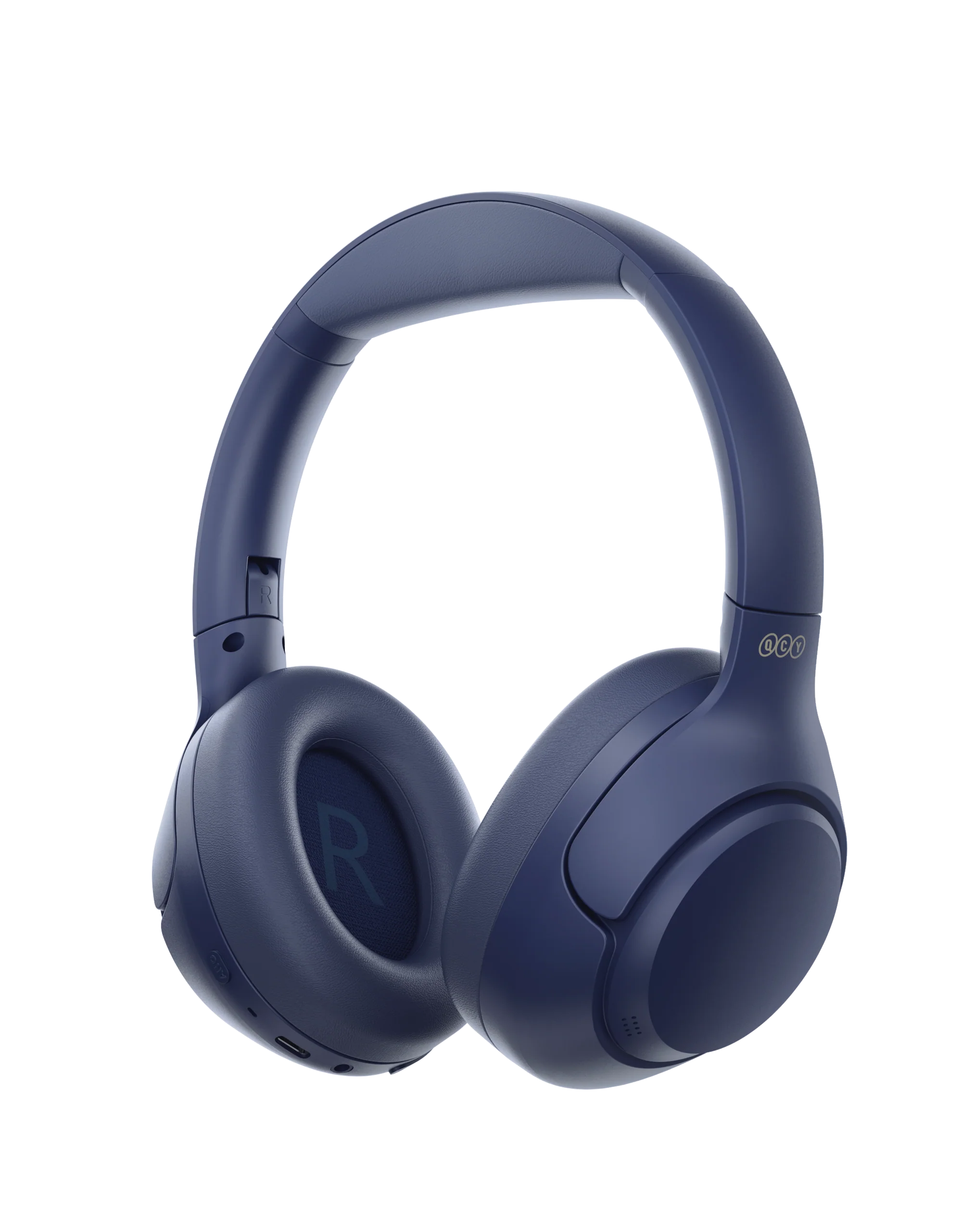
¿Cómo emparejar el H3?
1. Mantén pulsado el botón multifunción durante 2 segundos para encenderlos; los auriculares entrarán automáticamente en modo de emparejamiento.
2. Activa el Bluetooth en tu dispositivo.
3. Selecciona "QCY H3" en la lista de dispositivos disponibles.
¿Cómo puedo activar la conexión multipunto?
Para conectar dos dispositivos:
1. Empareja los auriculares con el dispositivo A.
2. Desactiva el Bluetooth en el dispositivo A y los auriculares entrarán en modo de emparejamiento.
3. Empareja los auriculares con el dispositivo B.
4. Vuelve a activar el Bluetooth en el dispositivo A y vuelve a conectarte a los auriculares.
Una vez realizada esta configuración inicial, los auriculares se conectarán automáticamente a ambos dispositivos la próxima vez.
¿Cómo se reinician los auriculares?
Para restablecer el H3:
1. Mantén pulsados los botones VOL+ y VOL- durante 10 segundos.
2. El LED de los auriculares parpadeará tres veces en rojo, lo que indica que el reinicio se ha realizado correctamente.
¿Cómo se utiliza una conexión por cable para el H3?
El H3 admite tanto la reproducción por cable de 3,5 mm como la reproducción por cable tipo C (el cable tipo C incluido no se puede utilizar para la reproducción; es necesario utilizar un cable con capacidad de transferencia de datos).
H3: La reproducción con cable de 3,5 mm no permite activar el micrófono de los auriculares.
La reproducción con cable H3 tipo C permite activar el micrófono de los auriculares.
Cómo quitar las orejeras para limpiarlas.
Utiliza la mano izquierda para manejar los auriculares y la derecha para controlar los cascos. Gira los auriculares en sentido antihorario con la mano izquierda para quitártelos.
ellos.
¿Cómo debo cuidar mis auriculares?
1. Utiliza los auriculares con regularidad para evitar que la batería se descargue en exceso. Intenta usarlos al menos una vez al mes.
2. Carga los auriculares después de cada uso y no esperes a que el nivel de batería baje de 20% para cargarlos.
3. Evita tirar de la diadema de los auriculares mientras los utilizas para evitar que se rompan.
¿Cómo se cambia entre los modos ANC, transparencia y normal?
Puedes cambiar de modo dentro de la aplicación: Ruta: Dispositivo -- Sonido -- Activar cancelación de ruido.
También puedes cambiar entre los distintos modos pulsando el botón ANC.
¿Qué debo hacer si el auricular funciona bien, pero no graba mi voz?.
Utiliza la función de grabación integrada en tu teléfono para comprobar si se puede grabar sonido.
No utilices otras aplicaciones para realizar esta operación, ya que esto podría desactivar el micrófono de los auriculares.
Si vas a realizar o recibir llamadas, debes configurar los auriculares como dispositivo predeterminado para recibir llamadas.
¿Qué puedo hacer si los auriculares tienen mala calidad de sonido?
Prueba con diferentes tipos de música y asegúrate de que la fuente de audio de entrada no presente distorsiones ni otros ruidos.
Prueba los distintos modos de ecualización de la aplicación OCY y personaliza la ecualización a tu gusto
¿Qué es la cancelación adaptativa del ruido?
Monitorización en tiempo real de los cambios en el entorno y de las fugas de audio para ajustar las funciones de cancelación de ruido. Con la cancelación de ruido adaptativa, podrás disfrutar de un efecto óptimo de reducción de ruido y de la máxima tranquilidad. Ten en cuenta que esta función está desactivada de forma predeterminada y se puede activar a través de la aplicación QCY.
Manuales
¿Aún necesitas ayuda?
 Llámanos+1 (917) 807-6754
 Enviar comentariosEnviar aquí
 Chatea con nosotros
 Atención al clienteservice@qcyearphone.com
 Marketing y colaboracionesrice@qcyearphone.com
 Consultas de prensapr@qcyearphone.com