



Centro de asistencia
Asistencia técnica para productos
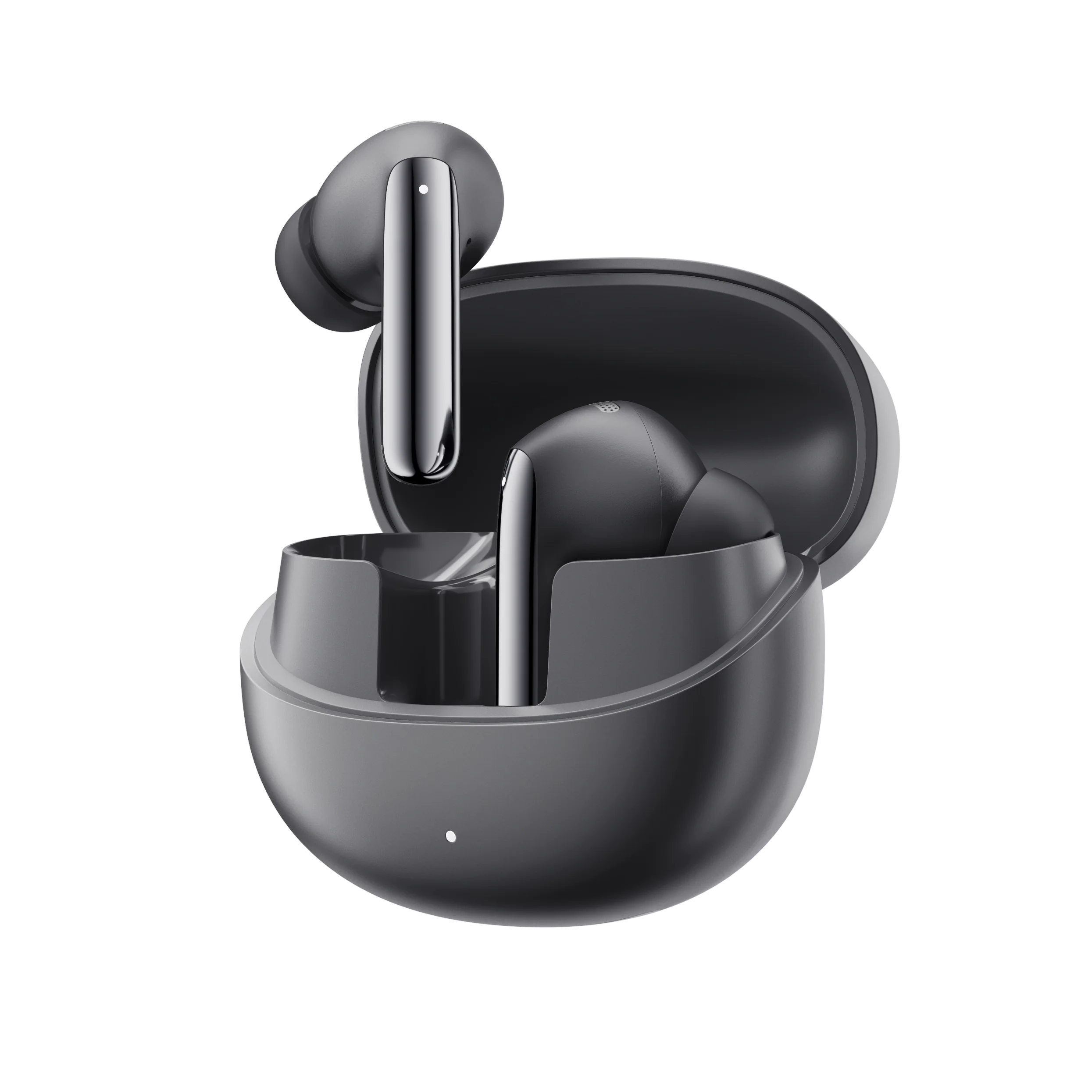
MeloBuds Pro
Encuentra guías de productos, soluciones a problemas, manuales y asistencia al cliente.
Vídeo de ayuda
Preguntas frecuentes
¿Cómo actualizo el firmware?
Actualiza el firmware en la aplicación QCY
Pasos a seguir: Abre la aplicación QCY - Ajustes - Actualización de firmware - Pulsa en «Actualizar»
¿Cómo conectarse a la aplicación QCY?
1. Descarga la aplicación QCY.
La aplicación QCY está disponible para dispositivos iOS y Android. Se puede instalar desde Google Play Store o desde la App Store de Apple.
2. Conecta los auriculares QCY a tu dispositivo mediante Bluetooth (por ejemplo, un smartphone o una tableta)
3. Utiliza la aplicación QCY para disfrutar de una mejor experiencia con el producto.
¿Por qué la aplicación QCY solicita acceso a la ubicación?
La aplicación en sí no suele necesitar acceso a la ubicación. Sin embargo, cuando se utiliza Bluetooth de bajo consumo (BLE) para localizar los auriculares, Android requiere permiso de ubicación.
Si prefieres no compartir tu ubicación, cierra la aplicación e intenta volver a emparejarla.
¿Qué debo hacer si la aplicación de QCY no detecta mis auriculares?
1. Empareja los auriculares con tu teléfono.
2. Abre la aplicación QCY, desplázate hasta la parte inferior y haz clic en "Añadir dispositivos"."
3. Si aparece "MeloBuds Pro", selecciónalo para conectarte.
4. Si no es así, haz clic en "Configurar manualmente" y selecciona "MeloBuds Pro" en la lista para conectarte.
¿Por qué los auriculares siguen conectados a mi dispositivo incluso después de haberlos guardado en el estuche de carga con la tapa cerrada?
1. Asegúrate de que los auriculares estén bien colocados en el estuche.
2. Limpia los contactos de carga tanto de los auriculares como del estuche para garantizar una conexión correcta.
¿Qué debo hacer si los auriculares no se encienden al sacarlos del estuche de carga?
Es posible que los auriculares se hayan quedado sin batería. Utiliza un cargador de 5 V para cargarlos durante dos horas.
¿Cuántas veces puede recargar el estuche de carga de los MeloBuds Pro los auriculares?
Cuando el estuche de carga está completamente cargado, puede cargar los auriculares por completo tres veces. La cuarta vez, los cargará parcialmente hasta aproximadamente el 60%.
¿Cómo puedo comprobar el nivel de batería de los auriculares?
Empareja los auriculares con la aplicación QCY de tu móvil para comprobar el nivel de batería.
Para descargar la aplicación, solo tienes que buscar "QCY" en tu tienda de aplicaciones.
¿Qué debo hacer si no encuentro los Melobuds Pro en la lista de dispositivos Bluetooth de mi móvil?
Por favor, reinicia y vuelve a conectar los auriculares.
¿Cómo emparejar los MeloBuds Pro?
1. Saca los auriculares del estuche para activar el modo de emparejamiento.
2. Activa el Bluetooth en tu dispositivo.
3. Selecciona "QCY MeloBuds Pro" en la lista de dispositivos disponibles.
¿Cómo se conectan los auriculares a dos dispositivos a la vez?
1. Una vez conectado el dispositivo A, desactiva el Bluetooth
2. A continuación, activa el Bluetooth del dispositivo B y busca conexiones
3. Volver a abrir el dispositivo A para lograr una relación de uno a dos
Cuando hay dos dispositivos conectados: pon en pausa la música, el vídeo o cualquier otro contenido multimedia que se esté reproduciendo en el dispositivo actual; haz clic en la música del otro dispositivo y el vídeo se reproducirá automáticamente en él.
¿Cómo se reinician los Melobuds Pro?
Para restablecer los MeloBuds Pro:
1. Borra los registros de conexión anteriores del teléfono.
2. Con los auriculares dentro del estuche de carga, abre el estuche y mantén pulsado el botón del estuche durante 10 segundos. La luz roja de los auriculares parpadeará 5 veces.
En cuanto deje de parpadear, se restablecerá la conexión.
¿Puedo comprar un solo auricular si he perdido uno?
Lamentablemente, debido a problemas relacionados con los gastos de envío y los aranceles aduaneros, no podemos vender el estuche de carga por separado.
¿Qué puedo hacer si se me caen los auriculares con facilidad?
Ofrecemos almohadillas de distintos tamaños para garantizar un buen ajuste. Para encontrar el que mejor se adapte a ti:
1. Asegúrate de que llevas puestos los auriculares correctos (comprueba el logotipo L/R).
2. Prueba diferentes tamaños de almohadillas.
3. Gira ligeramente los auriculares para encontrar la posición más segura y cómoda.
¿Cómo debo cuidar mis auriculares?
1. Utiliza tus auriculares con regularidad para evitar que la batería se descargue en exceso. Intenta utilizarlos al menos una vez al mes.
2. Carga los auriculares después de cada uso y no esperes a que el nivel de batería baje de 20% para cargarlos.
3. Abre el estuche al menos una vez al mes para comprobar que todo funciona correctamente y recárgalo cada mes.
4. Limpia con regularidad los contactos de carga tanto de los auriculares como del estuche.
5. Mantén limpias las puntas auriculares y limpia la malla metálica con alcohol isopropílico.
6. Si se mojan, sécalos con un secador de pelo en la posición de 'frío'.
¿Cómo se limpian los auriculares?
La limpieza y el mantenimiento regulares tras el uso diario son esenciales para prolongar la vida útil de tus auriculares. Descuidar estos aspectos puede provocar una disminución del rendimiento y de la durabilidad.
1. Limpieza de las clavijas de contacto:
- Asegúrate de que el estuche de carga esté desconectado de cualquier fuente de alimentación.
- Utiliza un bastoncillo de algodón o un paño suave humedecido con alcohol isopropílico o una toallita con alcohol para limpiar con cuidado los contactos tanto de los auriculares como del estuche de carga.
2. Limpieza de los filtros de los auriculares:
- En primer lugar, retira las almohadillas de los auriculares.
- Utiliza un bastoncillo de algodón humedecido en alcohol isopropílico para limpiar con cuidado los filtros.
¿Qué puedo hacer si el volumen es bajo al conectarme al móvil?
Limpieza del filtro antipolvo: Utiliza un cepillo de dientes seco para limpiar con cuidado el filtro antipolvo de los auriculares. Asegúrate de no ejercer demasiada presión para evitar dañarlos.
¿Puedo usar solo el auricular izquierdo o el derecho?
Sí, solo tienes que sacar un auricular del estuche de carga para utilizarlo.
Si estás utilizando dos auriculares, puedes volver a colocar cualquiera de ellos en el estuche de carga y seguir utilizando el otro por separado.
¿Qué puedo hacer si los auriculares tienen mala calidad de sonido?
Puedes seguir estos pasos para solucionar el problema:
1. Ajusta las puntas de los auriculares: prueba a utilizar puntas de diferentes tamaños y asegúrate de que los auriculares estén bien colocados para que queden bien ajustados. Esto puede mejorar tanto la calidad del sonido como la cancelación de ruido.
2. Comprueba la fuente de audio: prueba con diferentes tipos de música y asegúrate de que el sonido sea nítido y no presente distorsiones ni ruidos.
3. Personaliza los ajustes del ecualizador: utiliza la aplicación QCY para probar diferentes modos de ecualización o personalizar el perfil de sonido según tus preferencias.
Manuales
¿Aún necesitas ayuda?
 Llámanos+1 (917) 807-6754
 Enviar comentariosEnviar aquí
 Chatea con nosotros
 Atención al clienteservice@qcyearphone.com
 Marketing y colaboracionesrice@qcyearphone.com
 Consultas de prensapr@qcyearphone.com