



サポートセンター
製品サポート
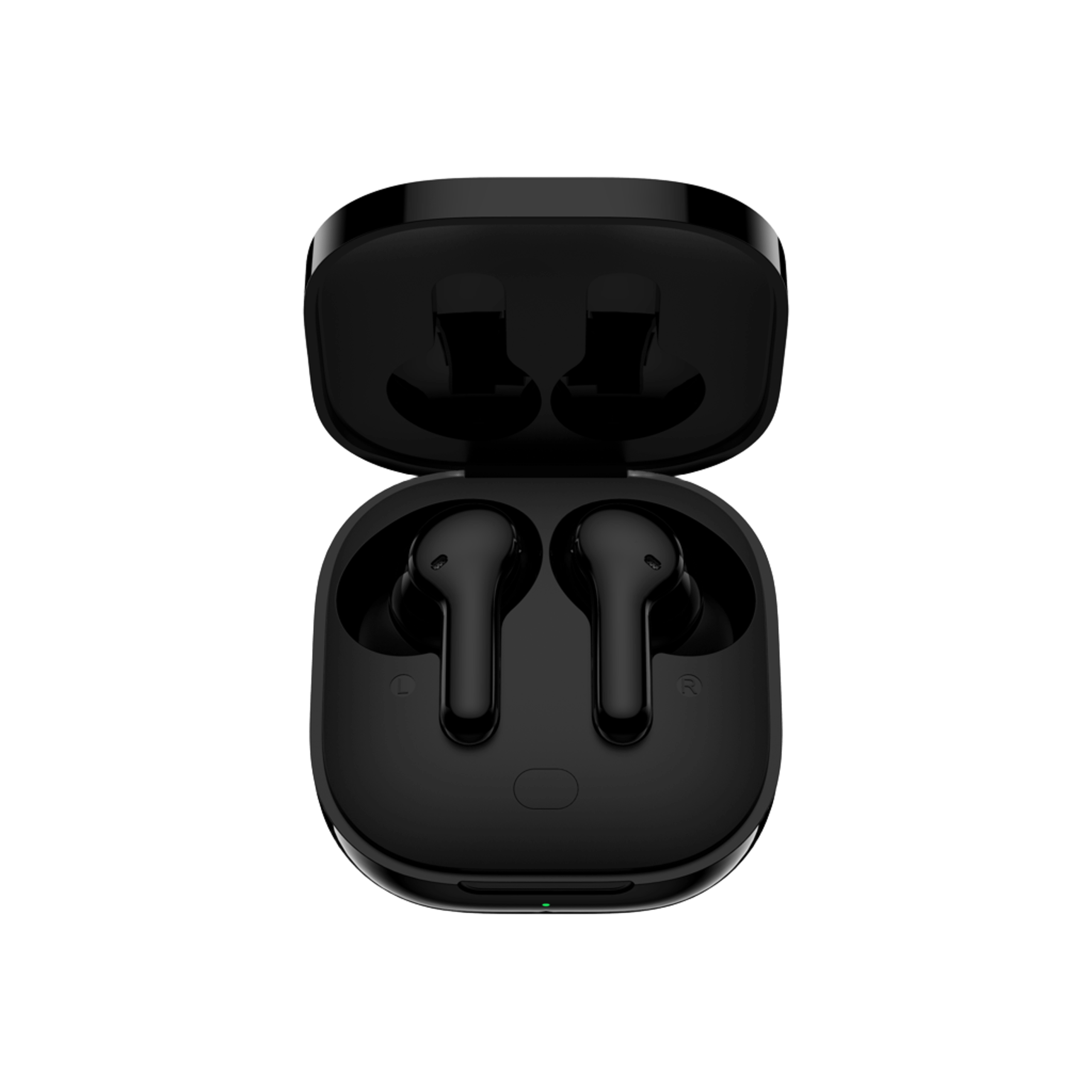
T13
製品ガイド、トラブルシューティングの解決策、取扱説明書、およびカスタマーサポートをご覧ください。.
Support Video
よくある質問
How do I update the firmware?
Update the fireware on the QCY App
Pathway: Open the QCY APP - Settings - Firmware Update - Click Update
What if the touch screen is too sensitive?
Please turn on sleep mode in the QCY APP to avoid accidentally touching the touch area.
QCYアプリへの接続方法は?
1. QCYアプリをダウンロードしてください。.
The QCY app is available on iOS and Android devices. It can be installed from the Google Play Store or the Apple App Store.
2. QCYのイヤホンを、お使いのデバイス(スマートフォンやタブレットなど)とBluetoothで接続してください。
3. Use the QCY app for enhanced product experience.
QCYアプリはなぜ位置情報のアクセスを要求するのですか?
通常、このアプリ自体に位置情報のアクセス権は必要ありません。ただし、Bluetooth Low Energy(BLE)を使用してイヤホンを探す場合、Androidでは位置情報のアクセス権が必要となります。.
位置情報の共有を希望されない場合は、アプリを閉じてから、再度ペアリングをお試しください。.
充電ケースに収納して蓋を閉めた後も、イヤホンがデバイスと接続されたままになるのはなぜですか?
1. イヤホンがケースに正しく収まっていることを確認してください。.
2. イヤホンとケースの両方の充電接点をきれいに拭き、確実に接続されるようにしてください。.
3. If the issue persists, contact our service center.
What should I do if the earbuds don’t turn on when taken out of the charging case?
ヘッドホンのバッテリーが切れている可能性があります。5Vの充電器を使用して、2時間充電してください。.
My earbuds' battery runs out too quickly. What can I do?
1. Let your headphones completely drain their battery.
2. Charge your headphones for two hours using a 5V charger.
How do I check the battery level of the earbuds?
イヤホンをスマートフォンのQCYアプリとペアリングして、バッテリー残量を確認してください。.
How to pair T13?
1. Turn on Bluetooth on your phone.
2. Turn on the earbuds and remove them from the charging case.
3. Find the T13 in your phone's Bluetooth list and tap to connect.
Now you can use your Bluetooth earbuds.
How to reset T13?
T13 Reset Steps:
1. Delete any unused Bluetooth connection records on your phone.
2. Place both earbuds back into the charging case. Press and hold the button on the charging case for 15 seconds (the charging case's red and blue indicator lights will flash three times alternately to indicate a successful reset).
3. Try searching and pairing again.
Can I buy one side of the earbuds if I lost one earbud?
Unfortunately, due to issues related to shipping costs and customs fees, we are unable to sell the charging case separately.
What can I do if my earbuds fall out easily?
We offer various ear tip sizes to ensure a good fit. To find the best fit:
1. Make sure you’re wearing the correct earbuds (check the L/R logo).
2. さまざまなサイズのイヤーチップを試してみてください。.
3. イヤホンを少しひねって、最もしっかりと固定され、かつ快適な位置を見つけてください。.
How should I care for my earbuds?
1. イヤホンのバッテリーが過放電にならないよう、定期的に使用してください。少なくとも月に1回は使用するようにしましょう。.
2. イヤホンは使用するたびに充電し、20%を下回ってから充電するのを待たないでください。.
3. 少なくとも月に1回はケースを開けて、すべての機能が正常に動作するかを確認し、毎月ケースを充電してください。.
4. イヤホン本体とケースの両方の充電ピンを定期的に掃除してください。.
5. イヤーチップを清潔に保ち、金属メッシュを消毒用アルコールで拭いてください。.
6. If they get wet, use a hairdryer on the 'cool' setting to dry them.
How to clear my earbuds?
1. 接点ピンの清掃:
- Ensure the charging case is unplugged from any power source.
- Clean the charging contacts of your earphones and charging case with a cotton swab dipped in alcohol.
2. イヤフォンのフィルターの掃除:
- First, remove the ear tips from the earbuds.
- Use a soft-bristled brush to clean the dust filter/sound vent of your headphones.
What can I do if the volume is low when connecting to my phone?
Cleaning the dust filter: Use a dry toothbrush to gently clean the dust filter on the earbuds. Make sure not to apply too much pressure to avoid damaging them.
Why is sound only coming from one side of the earbuds?
Your headphones may not be synced. Please reset your headphones.
Can I use the left or right earbud on its own?
はい、充電ケースからイヤホンを片方だけ取り出せば使えます。.
取扱説明書
それでもまだお困りですか?
 お電話ください+1 (917) 807-6754
 フィードバックを送信するこちらから送信してください
 チャットでお問い合わせください
 カスタマーサポートservice@qcyearphone.com
 マーケティング・パートナーシップrice@qcyearphone.com
 報道関係のお問い合わせpr@qcyearphone.com