



サポートセンター
製品サポート
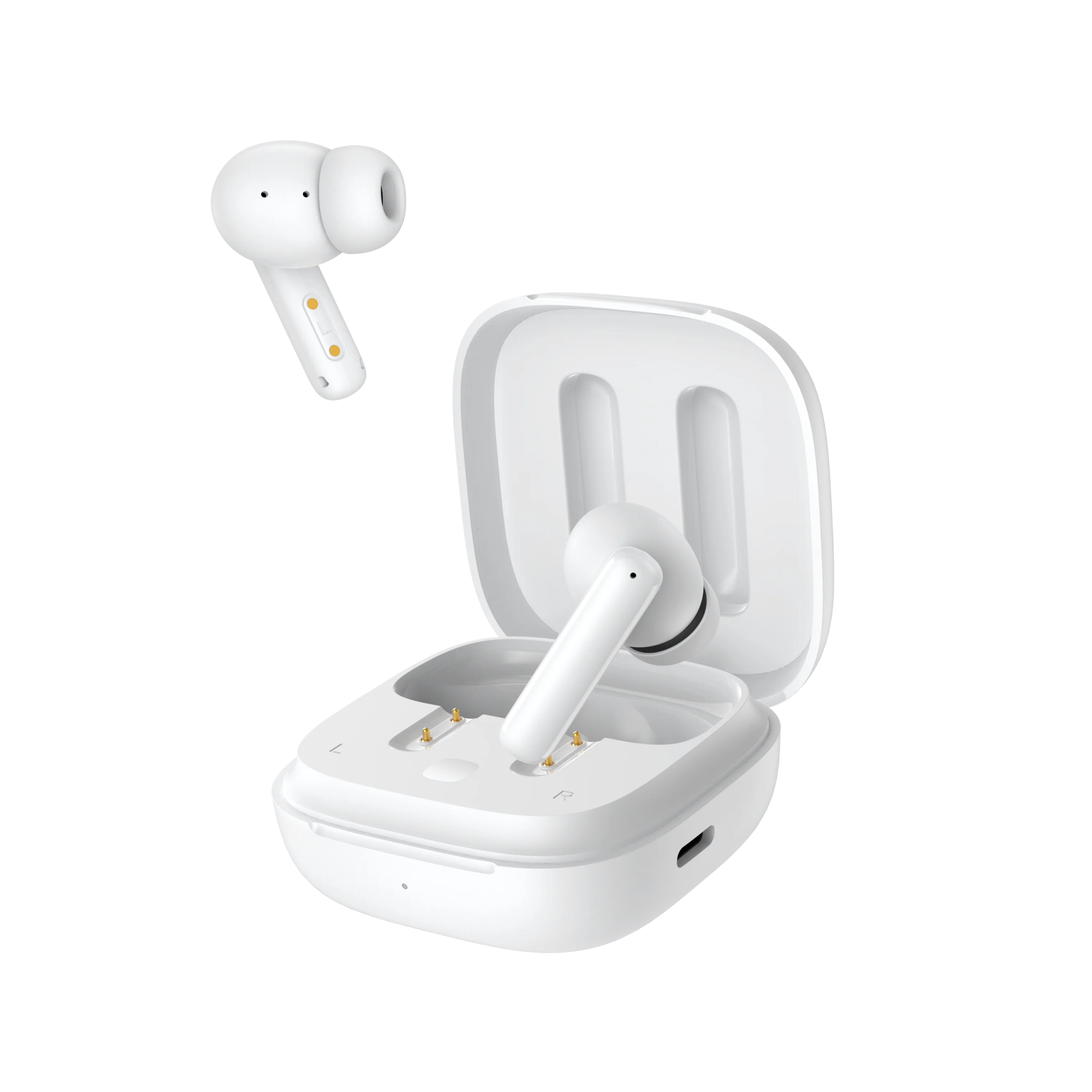
T13 ANC
製品ガイド、トラブルシューティングの解決策、取扱説明書、およびカスタマーサポートをご覧ください。.
サポート動画
よくある質問
タッチスクリーンの感度が強すぎる場合はどうすればいいですか?
誤ってタッチエリアに触れてしまうのを防ぐため、QCYアプリでスリープモードをオンにしてください。.
ファームウェアの更新方法は?
QCYアプリでファームウェアを更新する
手順:QCYアプリを開く → 「設定」 → 「ファームウェアの更新」 → 「更新」をタップ
QCYアプリへの接続方法は?
1. QCYアプリをダウンロードしてください。.
QCYアプリは、iOSおよびAndroid端末でご利用いただけます。Google PlayストアまたはApple App Storeからインストールできます。.
2. QCYのイヤホンを、お使いのデバイス(スマートフォンやタブレットなど)とBluetoothで接続してください。
3. QCYアプリを利用して、製品体験をさらに充実させましょう。.
QCYアプリはなぜ位置情報のアクセスを要求するのですか?
通常、このアプリ自体に位置情報のアクセス権は必要ありません。ただし、Bluetooth Low Energy(BLE)を使用してイヤホンを探す場合、Androidでは位置情報のアクセス権が必要となります。.
位置情報の共有を希望されない場合は、アプリを閉じてから、再度ペアリングをお試しください。.
QCYアプリでイヤホンが見つからない場合はどうすればよいですか?
1. イヤホンをスマートフォンとペアリングしてください。.
2. QCYアプリを開き、画面を下までスクロールして、「デバイスを追加」をタップします。"
3. 「QCY T13 ANC」と表示されたら、それを選択して接続してください。.
4. そうでない場合は、「手動で設定」をクリックし、リストから「QCY T13 ANC」を選んで接続してください。.
充電ケースに収納して蓋を閉めた後も、イヤホンがデバイスと接続されたままになるのはなぜですか?
1. イヤホンがケースに正しく収まっていることを確認してください。.
2. イヤホンとケースの両方の充電接点をきれいに拭き、確実に接続されるようにしてください。.
3. それでも問題が解決しない場合は、弊社サービスセンターまでご連絡ください。.
充電ケースからイヤホンを取り出しても電源が入らない場合は、どうすればよいですか?
1. イヤホンが充電されていることを確認してください。.
2. イヤーチップが正しく取り付けられているか確認してください。.
3. 充電してもイヤホンがまだ電源が入らない場合は、弊社サービスセンターまでご連絡ください。.
イヤホンのバッテリーがすぐに切れてしまいます。どうすればいいですか?
1. ヘッドホンのバッテリーを完全に使い切ってください。.
2. 5Vの充電器を使って、ヘッドホンを2時間充電してください。.
イヤホンのバッテリー残量はどのように確認すればよいですか?
イヤホンをスマートフォンのQCYアプリとペアリングして、バッテリー残量を確認してください。.
アプリをダウンロードするには、アプリストアで「QCY」と検索してください。.
T13のANCをリセットするにはどうすればよいですか?
T13 ANCのリセット手順:
1. スマートフォン上で、使用していないBluetooth接続の記録をすべて削除してください。.
2. 両方のイヤホンを充電ケースに戻します。充電ケースのボタンを15秒間長押しします(リセットが正常に完了すると、充電ケースの赤と青のインジケーターライトが交互に3回点滅します)。.
3. もう一度検索してペアリングを試してみてください。.
T13 ANCは、2台のデバイスに同時に接続できますか?
いいえ、この製品ではこの機能はサポートされていません。.
イヤホンを2台のデバイスに同時に接続するにはどうすればよいですか?
2つのデバイスを接続するには:
1. イヤホンをデバイスAとペアリングします。.
2. デバイスAでBluetoothをオフにすると、イヤホンがペアリングモードになります。.
3. イヤホンをデバイスBとペアリングします。.
4. デバイスAでBluetoothを再度有効にし、イヤホンに再接続してください。.
この初期設定が完了すると、次回からはイヤホンが両方のデバイスに自動的に接続されます。.
T13 NCのペアリング方法は?
1. スマートフォンのBluetoothをオンにしてください。.
2. イヤホンの電源を入れ、充電ケースから取り出します。.
3. スマートフォンのBluetooth一覧から「T13」を探し、タップして接続します。.
これで、Bluetoothイヤホンを使えるようになりました。.
片方のイヤホンをなくしてしまった場合、もう片方だけ購入することはできますか?
残念ながら、イヤホンの単品販売は行っておりません。.
イヤホンがすぐに外れてしまう場合は、どうすればいいですか?
快適な装着感を実現するため、さまざまなサイズのイヤーチップをご用意しています。最適なサイズを見つけるには:
1. 正しいイヤホンを装着していることを確認してください(L/Rのマークを確認してください)。.
2. さまざまなサイズのイヤーチップを試してみてください。.
3. イヤホンを少しひねって、最もしっかりと固定され、かつ快適な位置を見つけてください。.
イヤホンの手入れはどのように行えばよいですか?
1. イヤホンのバッテリーが過放電にならないよう、定期的に使用してください。少なくとも月に1回は使用するようにしましょう。.
2. イヤホンは使用するたびに充電し、20%を下回ってから充電するのを待たないでください。.
3. 少なくとも月に1回はケースを開けて、すべての機能が正常に動作するかを確認し、毎月ケースを充電してください。.
4. イヤホン本体とケースの両方の充電ピンを定期的に掃除してください。.
5. イヤーチップを清潔に保ち、金属メッシュを消毒用アルコールで拭いてください。.
6. 濡れてしまった場合は、ヘアドライヤーの「冷風」設定で乾かしてください。.
スマートフォンに接続した際、音量が小さい場合はどうすればよいですか?
ダストフィルターの掃除:乾いた歯ブラシを使って、イヤホンのダストフィルターを優しく掃除してください。破損を防ぐため、力を入れすぎないように注意してください。.
左または右のイヤホンだけを単独で使用することはできますか?
はい、充電ケースからイヤホンを片方だけ取り出せば使えます。.
イヤホンを2つお使いの場合は、どちらか一方を充電ケースに戻し、もう一方を単独で使い続けることができます。.
イヤホンの音質が悪い場合はどうすればよいですか?
以下のトラブルシューティング手順を試してみてください:
1. イヤーチップを調整する:さまざまなサイズのイヤーチップを試してみて、イヤホンが正しく装着され、耳にしっかりと密着するようにしてください。これにより、音質とノイズキャンセリング効果の両方が向上します。.
2. 音声ソースを確認する:さまざまな種類の音楽を試聴し、音声ソースがクリアで、歪みやノイズがないことを確認してください。.
3. EQ設定をカスタマイズする:QCYアプリを使って、さまざまなEQモードを試したり、好みに合わせてサウンドプロファイルをカスタマイズしたりできます。.
取扱説明書
それでもまだお困りですか?
 お電話ください+1 (917) 807-6754
 フィードバックを送信するこちらから送信してください
 チャットでお問い合わせください
 カスタマーサポートservice@qcyearphone.com
 マーケティング・パートナーシップrice@qcyearphone.com
 報道関係のお問い合わせpr@qcyearphone.com