



Centro de Apoio
Suporte ao produto
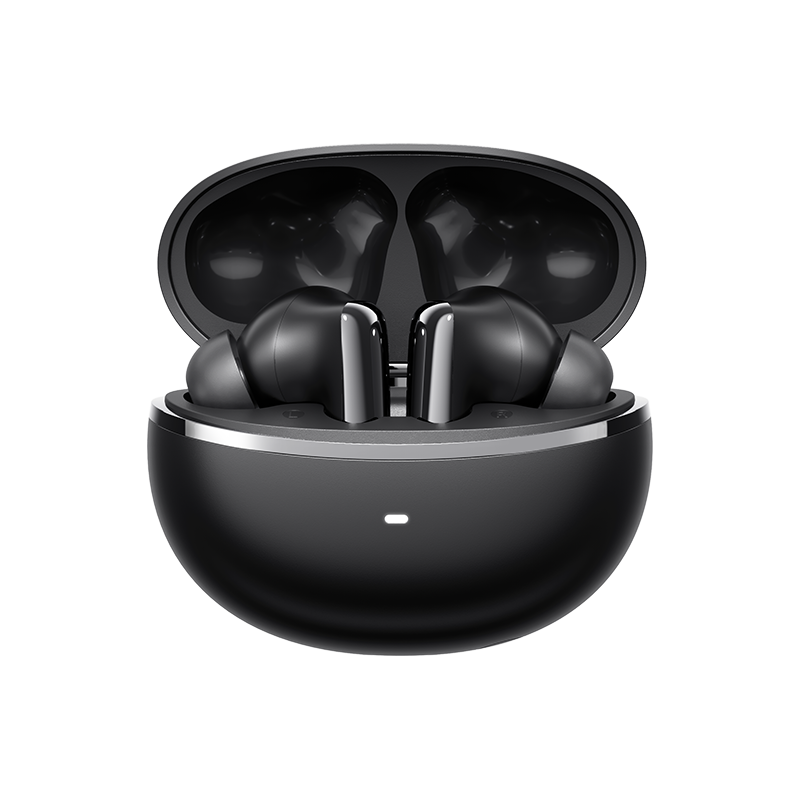
QCY MeloBuds N70
Encontre guias de produtos, respostas a problemas, manuais e apoio ao cliente.
Vídeo de apoio
Perguntas frequentes
Como é que atualizo o firmware?
Atualizar o firmware na aplicação QCY
Passos: Abra a aplicação QCY - Definições - Atualização de firmware - Clique em «Atualizar»
Como estabelecer ligação à aplicação QCY?
1. Descarregue a aplicação QcY.
A aplicação QCY está disponível em dispositivos iOS e Android. Pode ser instalada a partir da Google Play Store ou da Apple App Store.
2. Ligue os auriculares QCY ao seu dispositivo através de Bluetooth (por exemplo, um smartphone ou tablet)
3. Utilize a aplicação QCY para desfrutar de uma experiência de utilização do produto melhorada.
E se o ecrã tátil for demasiado sensível?
Podes ajustar a sensibilidade dos controlos táteis dos auscultadores na aplicação.
Percurso: Abra a aplicação QCY - Definições - Ajuste de sensibilidade
Por que é que a aplicação QCY solicita acesso à localização?
Normalmente, a aplicação em si não necessita de acesso à localização. No entanto, quando se utiliza o Bluetooth Low Energy (BLE) para localizar os seus auriculares, o Android requer autorização de localização.
Se preferir não partilhar a sua localização, feche a aplicação e tente estabelecer a ligação novamente.
Quanto tempo dura a bateria dos auscultadores?
A autonomia total da bateria é de 54 horas, e o estojo de carregamento pode proporcionar até 10 horas de utilização com um único carregamento.
Como posso verificar o nível de carga da bateria dos auriculares?
Emparelhe os auriculares com a aplicação QCY no seu telemóvel para verificar o nível da bateria.
O que devo fazer se os auriculares não ligarem quando os retirar do estojo de carregamento?
Os seus auscultadores podem estar sem bateria. Utilize um carregador de 5 V para os carregar durante duas horas.
Por que razão os níveis de carga das baterias dos auriculares esquerdo e direito não são iguais?
Devido aos diferentes hábitos de utilização e às variações no estado da bateria entre o auricular esquerdo e o direito, é normal que haja alguma diferença no consumo da bateria entre os dois auriculares durante a utilização.
Como posso reiniciar o HT18?
Com os auriculares dentro do estojo de carregamento, abra o estojo e mantenha premido o botão do estojo de carregamento durante 10 segundos. O estojo de carregamento irá então piscar alternadamente com luzes vermelhas e brancas durante 3 segundos. Assim que as luzes deixarem de piscar, a reinicialização estará concluída.
Após restaurar as predefinições de fábrica, ligue o dispositivo utilizando o método de emparelhamento inicial e utilize-o normalmente.
O que fazer se os meus auscultadores não aparecerem na lista de dispositivos Bluetooth do meu telemóvel à primeira tentativa?
Por favor, reinicie os seus auscultadores e, em seguida, volte a ligá-los; deverá conseguir encontrá-los.
É possível emparelhar os auscultadores do ouvido esquerdo e do direito com dois dispositivos diferentes, separadamente?
Não, não podem. Os auriculares podem ser ligados a dois dispositivos ao mesmo tempo através da função «Dual Connection», mas só podem reproduzir áudio de um dispositivo de cada vez.
Os clipes para a orelha esquerda e direita podem ser usados separadamente?
Sim, podem ser utilizados logo após serem retirados do estojo, mesmo que se retire apenas um dos auriculares.
Como posso ativar a ligação multiponto?
Para ligar dois dispositivos:
1. Emparelhe os auscultadores com o dispositivo A.
2. Desative o Bluetooth no dispositivo A e os auscultadores entrarão no modo de emparelhamento.
3. Emparelhe os auscultadores com o dispositivo B.
4. Reative o Bluetooth no dispositivo A e volte a ligar os auscultadores.
Após esta configuração inicial, os auscultadores irão ligar-se automaticamente a ambos os dispositivos da próxima vez.
Como limpar os meus auriculares?
1. Limpeza dos pinos de contacto:
Certifique-se de que o estojo de carregamento está desligado de qualquer fonte de alimentação.
Limpe os contactos de carregamento dos seus auriculares e do estojo de carregamento com um cotonete embebido em álcool.
2. Limpeza dos filtros dos auriculares:
Primeiro, retire as pontas auriculares dos auriculares
.Utilize uma escova de cerdas macias para limpar o filtro de pó/abertura de ventilação dos seus auscultadores.
Como devo cuidar dos meus auriculares?
1. Utilize os seus auriculares regularmente para evitar que a bateria se descarregue em excesso. Tente utilizá-los pelo menos uma vez por mês.
2. Carregue os auriculares após cada utilização e não espere que a carga desça abaixo de 20% para os carregar.
3. Abra o estojo pelo menos uma vez por mês para verificar se tudo funciona e carregue o estojo mensalmente
4. Limpe regularmente os pinos de carregamento, tanto nos auriculares como no estojo.
5. Mantenha as pontas auriculares limpas e limpe a malha metálica com álcool isopropílico.
6. Se ficarem molhados, use um secador de cabelo na função 'frio' para os secar.
O que posso fazer se os meus auriculares caírem com facilidade?
Disponibilizamos pontas auriculares em vários tamanhos para garantir um bom ajuste. Para encontrar o tamanho ideal:
1. Certifique-se de que está a usar os auriculares corretos (verifique o logótipo L/R).
2. Experimente pontas auriculares de diferentes tamanhos.
3. Rode ligeiramente os auriculares para encontrar a posição mais segura e confortável.
Posso comprar apenas um dos auriculares, caso tenha perdido um?
Infelizmente, devido a questões relacionadas com os custos de envio e as taxas alfandegárias, não nos é possível vender o estojo de carregamento separadamente.
O que fazer se o efeito de cancelamento de ruído não for bom?
1. O HT18 apresenta uma qualidade de som Hi-Fi de ultra-alta definição. O nosso HT18 utiliza altifalantes MEMS, o que melhora significativamente as frequências altas e ultra-altas. No entanto, este realce das frequências altas limita, em certa medida, o desempenho do HT18 no cancelamento de ruído nas frequências altas.
2. Por favor, utilize um modo de cancelamento de ruído diferente na aplicação QCY (que não seja o adaptativo). Isto permitirá obter o mesmo efeito que o HT08.
Se o cancelamento de ruído continuar a não funcionar, pode desativar o modo de cancelamento de ruído adaptativo e mudar para o 'Modo Ruidoso' na aplicação, ajustando-o para o nível máximo de cancelamento de ruído.
O modo adaptativo ajusta a intensidade do cancelamento de ruído com base nas condições ambientais (quanto maior for o ruído ambiente, maior será a intensidade do cancelamento; quanto menor for o ruído ambiente, menor será a intensidade do cancelamento), proporcionando uma experiência de cancelamento de ruído mais confortável e reduzindo o desconforto causado pela pressão nos ouvidos em ambientes adequados.
O que posso fazer se o volume estiver baixo quando ligar o meu telemóvel?
Limpeza do filtro de pó:
Utilize uma escova de dentes seca para limpar cuidadosamente o filtro de pó dos auriculares. Certifique-se de que não exerce demasiada pressão, para evitar danificá-los
Por que é que o som só sai de um dos auriculares?
É possível que os seus auscultadores não estejam sincronizados. Por favor, reinicie os seus auscultadores.
Manuais
Ainda precisa de ajuda?
 Ligue-nos+1 (917) 807-6754
 Enviar comentáriosEnviar aqui
 Converse connosco
 Apoio ao Clienteservice@qcyearphone.com
 Marketing e Parceriasrice@qcyearphone.com
 Contacto para a imprensapr@qcyearphone.com