



Centro de Apoio
Suporte ao produto
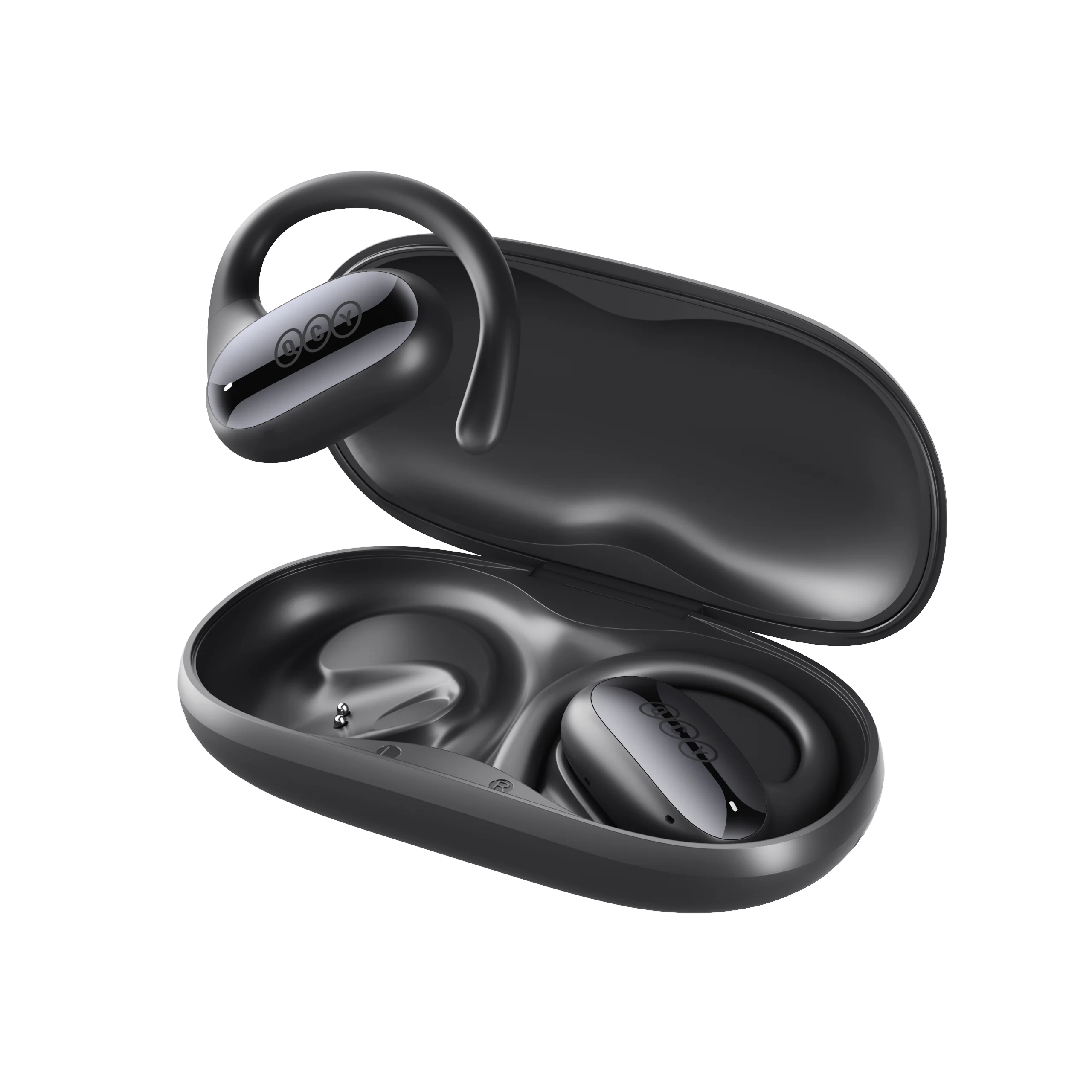
Crossky GTR2
Encontre guias de produtos, respostas a problemas, manuais e apoio ao cliente.
Vídeo de apoio
Perguntas frequentes
Por que é que a aplicação QCY solicita acesso à localização?
Normalmente, a aplicação em si não necessita de acesso à localização. No entanto, quando se utiliza o Bluetooth Low Energy (BLE) para localizar os seus auriculares, o Android requer autorização de localização.
Se preferir não partilhar a sua localização, feche a aplicação e tente estabelecer a ligação novamente.
O que devo fazer se os meus auriculares não forem detetados na aplicação QCY?
1. Emparelhe os auriculares com o telemóvel.
2. Abra a aplicação QCY, desça até ao fim da página e clique em "Adicionar dispositivos"."
3. Se aparecer "H3 Pro", selecione-o para estabelecer a ligação.
4. Caso contrário, clique em "Configurar manualmente" e selecione "QCY Crossky GTR2" na lista para estabelecer a ligação.
O que posso fazer se os meus auscultadores não se ligarem ao meu dispositivo?
1. Apague os registos de emparelhamento entre os auscultadores e todos os dispositivos anteriores.
2. Volte a emparelhar os auscultadores com o dispositivo.
Se isso não funcionar:
- Tente emparelhar com outro dispositivo para verificar se há problemas de compatibilidade.
- Certifique-se de que não há objetos a bloquear o sinal Bluetooth.
Como posso ativar a ligação multiponto?
Para ligar dois dispositivos:
Passo 1. Emparelhe os auscultadores com o dispositivo A.
Passo 2. Desative o Bluetooth no dispositivo A e os auscultadores entrarão no modo de emparelhamento.
Passo 3. Emparelhe os auscultadores com o dispositivo B.
Passo 3. Reative o Bluetooth no dispositivo A e volte a ligar-se aos auscultadores.
Após esta configuração inicial, os auscultadores irão ligar-se automaticamente a ambos os dispositivos da próxima vez.
O que devo fazer se o som dos meus auscultadores estiver entrecortado?
Tenha em atenção que isto pode não indicar um problema com os próprios auscultadores, mas pode estar relacionado com o dispositivo ligado ou com o ambiente em que se encontra. Os sinais Bluetooth podem ser afetados por obstáculos como paredes, eletrodomésticos, interferências de Wi-Fi e outros. Para garantir uma ligação estável, tente minimizar esses obstáculos.
Para resolver o problema, siga estes passos de resolução de problemas:
1. Carregue completamente os auscultadores e reinicie-os
2. Verifique o desempenho ouvindo músicas ou vendo vídeos que tenha descarregado, para evitar possíveis problemas de streaming.
3. Teste os auscultadores com outro dispositivo Bluetooth num local diferente para verificar se o problema persiste.
Como é que atualizo o firmware?
Atualize o firmware na aplicação QCY. Antes de atualizar:
1. Certifique-se de que os seus auscultadores têm, pelo menos, uma bateria 20%.
2. Certifique-se de que ambos os auriculares estão ligados à aplicação QCY.
3. Não utilize os auriculares durante a atualização.
4. Mantenha os auriculares no estojo de carregamento com a tampa aberta.
O que posso fazer se o volume estiver baixo quando ligar o meu telemóvel?
Tenta emparelhar novamente os teus auscultadores: apaga os registos de emparelhamento no teu telemóvel e, em seguida, emparelha novamente os auscultadores com o teu dispositivo.
Porque é que a pessoa do outro lado da linha não me consegue ouvir, ou porque é que a minha voz não está nítida?
Recomendamos que experimente os seguintes passos:
- Verifique se o dispositivo de saída de áudio do seu telemóvel está definido como "QCY Crossky GTR2"
- Se estiver a fazer a chamada através de uma aplicação, tente fazer uma chamada direta utilizando a função de chamada normal do seu telemóvel para verificar se o problema persiste.
- Teste os seus auriculares com um dispositivo Bluetooth diferente, num ambiente diferente, para ver se o problema melhora.
O que posso fazer se os auscultadores tiverem má qualidade de som?
Pode tentar os seguintes passos para resolver o problema:
- Verifique a fonte de áudio: experimente diferentes tipos de música e certifique-se de que a fonte de áudio tem um som nítido e sem distorções nem ruído.
- Personalize as definições do equalizador: utilize a aplicação QCY para experimentar diferentes modos de equalização ou personalizar o perfil de som de acordo com as suas preferências.
Ainda precisa de ajuda?
 Ligue-nos+1 (917) 807-6754
 Enviar comentáriosEnviar aqui
 Converse connosco
 Apoio ao Clienteservice@qcyearphone.com
 Marketing e Parceriasrice@qcyearphone.com
 Contacto para a imprensapr@qcyearphone.com