



Support-Center
Produkt-Support
H3 Pro
Hier finden Sie Produktanleitungen, Lösungen zu häufig auftretenden Problemen, Handbücher und Kundensupport.
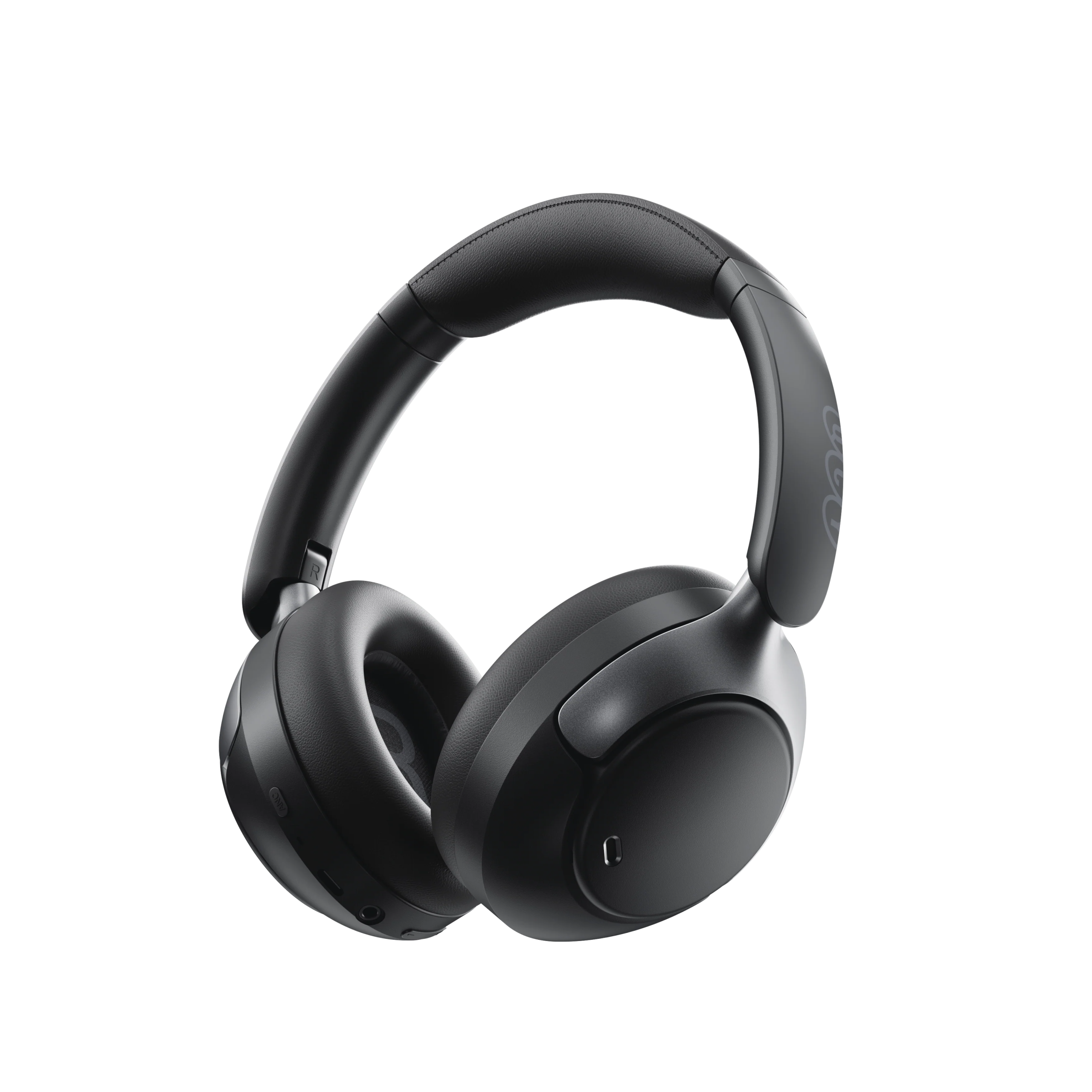
Support-Video
Häufig gestellte Fragen
Was tun, wenn das Firmware-Update fehlschlägt?
1. Überprüfen Sie, ob Probleme mit dem Netzempfang vorliegen, z. B. beim Mobilfunk- oder WLAN-Empfang.
2. Versuchen Sie, die Hintergrund-/Aktualisierungsseite während des Aktualisierungsvorgangs nicht zu verlassen.
Wie aktualisiert man die Firmware der Kopfhörer?
1. Verbinden Sie Ihre Kopfhörer mit der QCY-App.
2. Gehen Sie zu „Einstellungen“ – „Firmware-Update“.
3. Tippen Sie auf „Aktualisieren“.
4. Wenn kein Firmware-Update angezeigt wird, ist Ihre Firmware bereits auf dem neuesten Stand.
Wie nutze ich die Kopfhörer-Suchfunktion?
Die Kopfhörer können nur verwendet werden, wenn sie sowohl mit dem Bluetooth des Smartphones als auch mit der App verbunden sind.
1. Öffnen Sie die QCY-App, gehen Sie zu 'Einstellungen“ und tippen Sie auf die Funktion „Kopfhörer-Standort“, um den genauen Standort der Kopfhörer anzuzeigen.
2. Tippen Sie hier, um einen Ton abzuspielen und die Kopfhörer anhand des Tons zu lokalisieren.
Wie stelle ich eine Verbindung zur QCY-App her?
1. Laden Sie die QCY-App herunter.
Die QCY-App ist für iOS- und Android-Geräte verfügbar. Sie kann über den Google Play Store oder den Apple App Store installiert werden.
2. Verbinden Sie die QCY-Ohrhörer über Bluetooth mit Ihrem Gerät (z. B. einem Smartphone oder Tablet).
3. Nutzen Sie die QCY-App für ein noch besseres Produkterlebnis.
Warum fordert die QCY-App den Zugriff auf den Standort an?
Die App selbst benötigt normalerweise keinen Zugriff auf den Standort. Wenn jedoch Bluetooth Low Energy (BLE) zum Auffinden Ihrer Ohrhörer verwendet wird, verlangt Android eine Standortberechtigung.
Wenn Sie Ihren Standort lieber nicht weitergeben möchten, schließen Sie die App und versuchen Sie erneut, eine Verbindung herzustellen.
Was soll ich tun, wenn meine Kopfhörer in der QCY-App nicht gefunden werden?
1. Vergewissern Sie sich, dass die GPS-Funktion (Standortbestimmung) auf Ihrem Smartphone aktiviert ist.
2. Rufen Sie die App-Einstellungen Ihres Smartphones auf, suchen Sie die Berechtigungseinstellungen der App und setzen Sie die Standortberechtigung auf "deaktiviert".
3. Öffnen Sie die App, fügen Sie Ihre Kopfhörer hinzu, und wenn oben die Aufforderung zur Erteilung der Standortberechtigung angezeigt wird, klicken Sie auf "Standort zulassen".
4. Beenden Sie die App im Hintergrund.
5. Öffnen Sie die App und rufen Sie die Suchseite auf.
6. Schalten Sie Ihre Kopfhörer ein und versuchen Sie, nach dem Link zu suchen.
7. Sollte das Problem weiterhin bestehen, deinstallieren Sie die App und suchen Sie anschließend im App-Store Ihres Smartphones erneut nach „QCY“, um die App erneut herunterzuladen.
Warum lassen sich meine Kopfhörer nicht einschalten?
1. Vergewissern Sie sich, dass die Kopfhörer aufgeladen sind.
2. Überprüfen Sie, ob die Ohrstöpsel richtig eingesetzt sind.
3. Wenn sich die Ohrhörer nach dem Aufladen immer noch nicht einschalten lassen, wenden Sie sich bitte an unseren Kundendienst.
Der Akku meiner Ohrhörer ist viel zu schnell leer. Was kann ich tun?
Dies könnte an einer falschen Lademethode liegen.
Bitte lassen Sie den Akku Ihrer Kopfhörer vollständig entladen und laden Sie sie anschließend etwa zwei Stunden lang mit einem 5-V-Ladegerät auf.
Wie kann ich den Akkustand des Kopfhörers überprüfen?
Koppeln Sie die Kopfhörer mit der QCY-App auf Ihrem Smartphone, um den Akkustand zu überprüfen.
Um die App herunterzuladen, suchen Sie einfach in Ihrem App-Store nach "QCY".
Was kann ich tun, wenn sich mein Kopfhörer nicht mit meinem Gerät verbinden lässt?
1. Rufen Sie das Bluetooth-Menü Ihres Geräts auf, löschen Sie den Kopplungseintrag für die True-Wireless-Ohrhörer und schalten Sie anschließend Bluetooth aus.
2. Setzen Sie Ihre True-Wireless-Ohrhörer zurück. Befolgen Sie dazu die Anweisungen für Ihr jeweiliges Modell, die Sie in der Kurzanleitung, im FAQ-Bereich auf der Produktseite von QCY.com oder auf dem YouTube-Kanal von QCY finden.
3. Schalten Sie das Bluetooth Ihres Geräts wieder ein, suchen Sie nach Ihren True-Wireless-Ohrhörern und stellen Sie eine Verbindung her.
Sie könnten auch:
Testen Sie Ihre True-Wireless-Ohrhörer mit einem anderen Gerät, um zu prüfen, ob das Problem auf Kompatibilitätsprobleme zurückzuführen ist.
Stellen Sie sicher, dass keine Gegenstände die Bluetooth-Verbindung behindern.
Wie kann man den Kopfhörer gleichzeitig mit zwei Geräten verbinden?
So verbinden Sie zwei Geräte:
1. Koppeln Sie die Ohrhörer mit Gerät A.
2. Deaktivieren Sie Bluetooth auf Gerät A, woraufhin die Ohrhörer in den Kopplungsmodus wechseln.
3. Koppeln Sie die Ohrhörer mit Gerät B.
4. Aktivieren Sie Bluetooth auf Gerät A erneut und stellen Sie die Verbindung zu den Ohrhörern wieder her.
Nach dieser Ersteinrichtung verbinden sich die Ohrhörer beim nächsten Mal automatisch mit beiden Geräten.
Wie sollte ich meine Kopfhörer pflegen?
1. Verwenden Sie Ihre Kopfhörer regelmäßig, um eine zu starke Entladung des Akkus zu vermeiden. Versuchen Sie, sie mindestens einmal im Monat zu benutzen.
2. Laden Sie die Kopfhörer nach jedem Gebrauch auf und warten Sie mit dem Aufladen nicht, bis der Ladezustand unter 20% fällt.
3. Ziehen Sie während des Gebrauchs nicht am Kopfbügel der Kopfhörer, um Beschädigungen zu vermeiden.
So nehmen Sie die Ohrenschützer zum Reinigen ab.
Bedienen Sie die Ohrmuscheln mit der linken Hand und den Kopfhörer mit der rechten Hand. Drehen Sie die Ohrmuscheln mit der linken Hand gegen den Uhrzeigersinn, um sie abzunehmen.
Wie nutze ich eine kabelgebundene Verbindung für den H3 Pro?
Der H3pro unterstützt die Wiedergabe über einen 3,5-mm- oder Typ-C-Kabelanschluss und kann das Mikrofon sowie die Geräuschunterdrückung nutzen.
[Über den Typ-C-Anschluss können Sie die Kopfhörer gleichzeitig aufladen und nutzen, und die Geräuschunterdrückung kann dauerhaft aktiviert bleiben. Beim 3,5-mm-Anschluss müssen die Kopfhörer eingeschaltet sein, damit die Geräuschunterdrückung funktioniert.]
Wie wechselt man zwischen den Modi „ANC“, „Transparenz“ und „Normal“?
Sie können innerhalb der Anwendung zwischen den Modi wechseln:
Pfad: Gerät – Ton – Geräuschunterdrückung aktivieren.
Alternativ können Sie durch Drücken der ANC-Taste zwischen verschiedenen Modi wechseln.
Was soll ich tun, wenn der Hörer einwandfrei funktioniert, meine Stimme aber nicht aufgenommen wird?.
Bitte nutzen Sie die integrierte Aufnahmefunktion Ihres Telefons, um zu überprüfen, ob Ton aufgezeichnet werden kann.
Verwenden Sie für diesen Vorgang keine anderen Apps, da dies dazu führen kann, dass das Mikrofon des Headsets deaktiviert wird.
Wenn Sie Anrufe tätigen oder entgegennehmen, müssen Sie das Headset als Standardempfangsgerät festlegen.
Was kann ich tun, wenn die Klangqualität der Kopfhörer schlecht ist?
Sie können die folgenden Schritte zur Fehlerbehebung ausprobieren:
Probieren Sie verschiedene Musikarten aus und achten Sie darauf, dass die Audioquelle frei von Verzerrungen oder anderen Störgeräuschen ist.
Probieren Sie verschiedene EQ-Modi in der QCY-App aus und passen Sie den EQ nach Ihren Wünschen an.
Bedienungsanleitungen
Brauchen Sie noch Hilfe?
 Rufen Sie uns an+1 (917) 807-6754
 Feedback sendenHier einreichen
 Chatten Sie mit uns
 Kundensupportservice@qcyearphone.com
 Marketing & Partnerschaftenrice@qcyearphone.com
 Presseanfragenpr@qcyearphone.com