



Support-Center
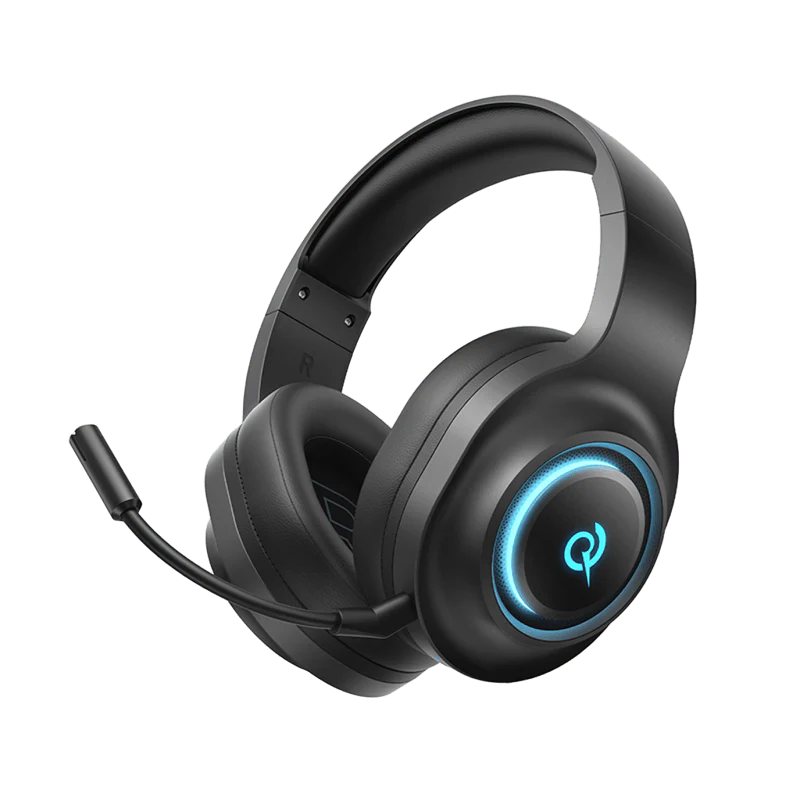
V200 Tri-Mode-Edition
Hier finden Sie Produktanleitungen, Lösungen zu häufig auftretenden Problemen, Handbücher und Kundensupport.
Häufig gestellte Fragen
Wie installiert man H4GM-Treiber auf einem Computer?
1. Stecken Sie den 2,4-GB-Dongle in Ihren Computer.
2. Klicken Sie auf den folgenden Link, um den Treiber herunterzuladen: Heroad V200 Tri-Mode Edition PC-Treiber (Version 1.0.0.5)
3. Zum Herunterladen hier klicken.
Warum schalten sich meine Kopfhörer automatisch aus, nachdem sie getrennt wurden?
Die Kopfhörer schalten sich nach 30 Minuten Inaktivität automatisch aus.
Wie lange hält der Akku meiner Kopfhörer?
80 h
Wie setzt man Kopfhörer zurück?
Halten Sie die Multifunktions-Taste „M“ 10 Sekunden lang gedrückt (während des Ladevorgangs nicht bedienbar). Die rote und die blaue LED blinken dreimal abwechselnd, um den erfolgreichen Vorgang anzuzeigen.
Wie verwendet man eine Kabelverbindung?
Schließen Sie Ihre Kopfhörer mit einem 3,5-mm-auf-Typ-C-Kabel an Ihren Computer an.
Wie aktualisiere ich die Firmware?
Aktualisieren Sie die Firmware über die QCY-App. Vor der Aktualisierung:
1. Stellen Sie sicher, dass Ihre Kopfhörer über mindestens einen 20%-Akku verfügen.
2. Vergewissern Sie sich, dass beide Ohrhörer mit der QCY-App verbunden sind.
3. Verwenden Sie die Ohrhörer während des Updates nicht.
4. Bewahren Sie die Ohrhörer bei geöffnetem Deckel im Ladecase auf.
Wie nutzt man ANC im kabelgebundenen Modus?
Verbinden Sie Ihren Computer und Ihre Kopfhörer mit einem USB-A-zu-Typ-C-Kabel.
Brauchen Sie noch Hilfe?
 Rufen Sie uns an+1 (917) 807-6754
 Feedback sendenHier einreichen
 Chatten Sie mit uns
 Kundensupportservice@qcyearphone.com
 Marketing & Partnerschaftenrice@qcyearphone.com
 Presseanfragenpr@qcyearphone.com