



Support-Center
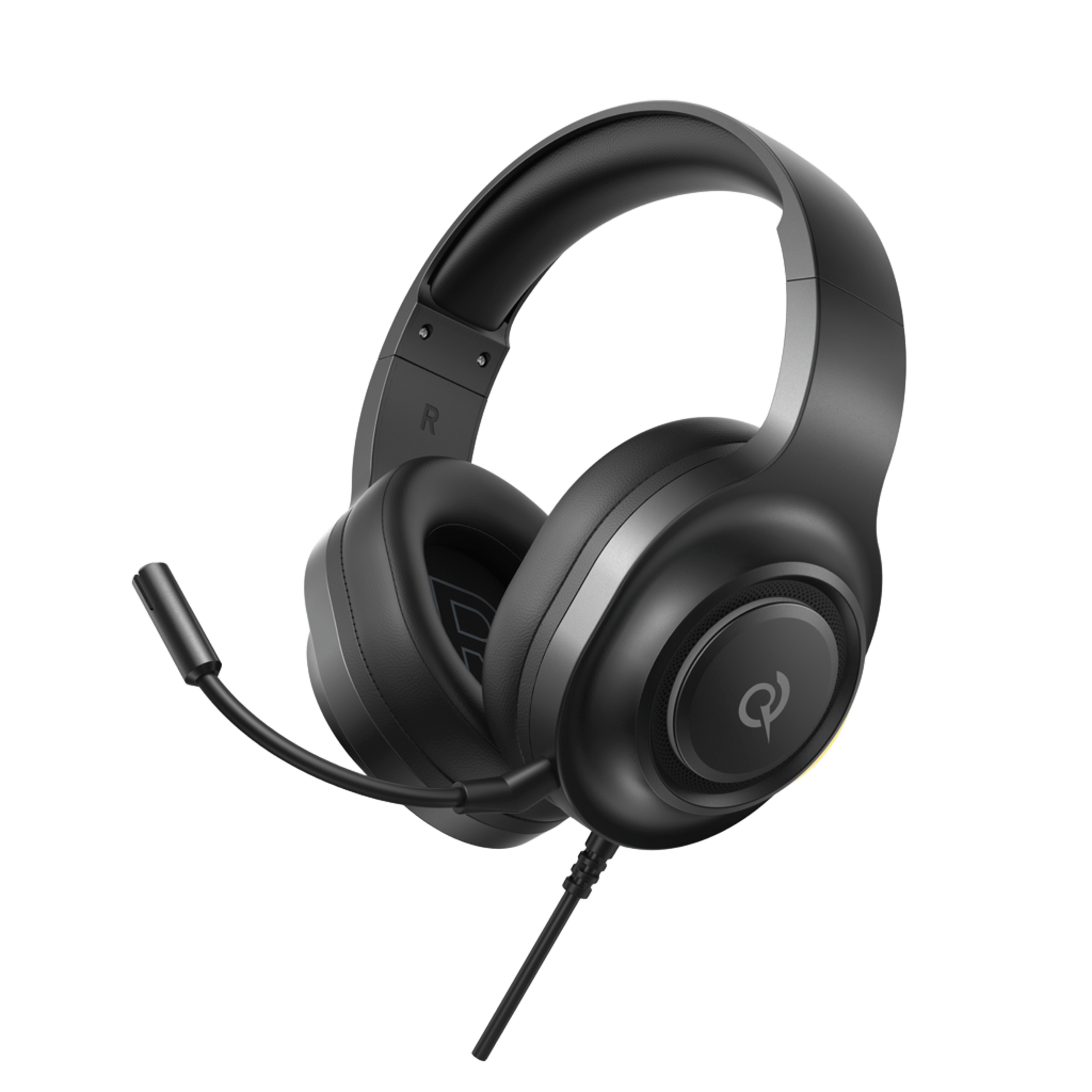
V200 Standard Edition
Hier finden Sie Produktanleitungen, Lösungen zu häufig auftretenden Problemen, Handbücher und Kundensupport.
Häufig gestellte Fragen
Warum fordert die QCY-App den Zugriff auf den Standort an?
Die App selbst benötigt normalerweise keinen Zugriff auf den Standort. Wenn jedoch Bluetooth Low Energy (BLE) zum Auffinden Ihrer Ohrhörer verwendet wird, verlangt Android eine Standortberechtigung.
Wenn Sie Ihren Standort lieber nicht weitergeben möchten, schließen Sie die App und versuchen Sie erneut, eine Verbindung herzustellen.
Was soll ich tun, wenn meine Ohrhörer in der QCY-App nicht gefunden werden?
1. Koppeln Sie die Ohrhörer mit Ihrem Smartphone.
2. Öffnen Sie die QCY-App, scrollen Sie nach unten und tippen Sie auf "Geräte hinzufügen"."
3. Wenn "H3 Pro" angezeigt wird, wählen Sie es aus, um die Verbindung herzustellen.
4. Falls nicht, klicken Sie auf "Manuell einrichten" und wählen Sie "H3 Pro" aus der Liste aus, um die Verbindung herzustellen.
Der Akku meiner Kopfhörer ist viel zu schnell leer. Was kann ich tun?
Probieren Sie diese Tipps aus, um die Akkulaufzeit Ihrer Kopfhörer zu verlängern:
- Dreh die Lautstärke runter.
- ANC ausschalten
- Deaktivieren Sie die intelligenten Funktionen und das räumliche Audio.
- Schalten Sie die Kopfhörer aus, wenn Sie sie nicht benutzen.
Wie koppelt man den H3?
1. Halten Sie die Multifunktionstaste 2 Sekunden lang gedrückt, um das Gerät einzuschalten. Die Kopfhörer wechseln automatisch in den Kopplungsmodus.
2. Aktivieren Sie Bluetooth auf Ihrem Gerät.
3. Wählen Sie "QCY H3" aus der Liste der verfügbaren Geräte aus.
Was kann ich tun, wenn sich meine Kopfhörer nicht mit meinem Gerät verbinden lassen?
1. Löschen Sie die Kopplungsdaten zwischen den Kopfhörern und allen bisherigen Geräten.
2. Stellen Sie die Verbindung zwischen Ihren Kopfhörern und dem Gerät erneut her.
Falls das nicht funktioniert:
- Versuchen Sie, eine Kopplung mit einem anderen Gerät herzustellen, um zu prüfen, ob Kompatibilitätsprobleme vorliegen.
- Stellen Sie sicher, dass keine Gegenstände das Bluetooth-Signal behindern.
Wie kann ich eine Multipoint-Verbindung aktivieren?
So verbinden Sie zwei Geräte:
Schritt 1. Koppeln Sie die Kopfhörer mit Gerät A.
Schritt 2: Deaktivieren Sie Bluetooth auf Gerät A, woraufhin die Kopfhörer in den Kopplungsmodus wechseln.
Schritt 3. Koppeln Sie den Kopfhörer mit Gerät B.
Schritt 3. Aktivieren Sie Bluetooth auf Gerät A erneut und stellen Sie die Verbindung zu den Kopfhörern wieder her.
Nach dieser Ersteinrichtung verbinden sich die Kopfhörer beim nächsten Mal automatisch mit beiden Geräten.
Wie setzt man Kopfhörer zurück?
So setzen Sie H3 zurück:
1. Halten Sie die Tasten „VOL+“ und „VOL-“ 10 Sekunden lang gedrückt.
2. Die LED der Kopfhörer blinkt dreimal rot, was einen erfolgreichen Reset anzeigt.
Was ist der Unterschied zwischen dem Anschließen des H3 Pro über ein AUX-Kabel und der Verwendung von Bluetooth?
Das mitgelieferte AUX-Kabel verfügt über kein Mikrofon, aber Sie können das Mikrofon des angeschlossenen Geräts nutzen, während Sie das QCY H3 im AUX-Modus verwenden.
Wie aktualisiere ich die Firmware?
Aktualisieren Sie die Firmware über die QCY-App. Vor der Aktualisierung:
1. Stellen Sie sicher, dass Ihre Kopfhörer über mindestens einen 20%-Akku verfügen.
2. Vergewissern Sie sich, dass beide Ohrhörer mit der QCY-App verbunden sind.
3. Verwenden Sie die Ohrhörer während des Updates nicht.
4. Bewahren Sie die Ohrhörer bei geöffnetem Deckel im Ladecase auf.
Was kann ich tun, wenn die Lautstärke bei der Verbindung mit meinem Handy zu leise ist?
Versuchen Sie, Ihre Kopfhörer erneut zu koppeln: Löschen Sie die Kopplungsprotokolle auf Ihrem Smartphone und koppeln Sie die Ohrhörer anschließend erneut mit Ihrem Gerät.
Warum kann mein Gesprächspartner mich nicht hören, oder warum ist meine Stimme undeutlich?
Wir empfehlen Ihnen, die folgenden Schritte auszuprobieren:
- Vergewissern Sie sich, dass das Audioausgabegerät Ihres Smartphones auf "QCY H3" eingestellt ist."
- Wenn Sie den Anruf über eine App tätigen, versuchen Sie, einen direkten Anruf über die normale Anruffunktion Ihres Telefons zu tätigen, um zu prüfen, ob das Problem weiterhin besteht.
- Testen Sie Ihre Ohrhörer mit einem anderen Bluetooth-Gerät in einer anderen Umgebung, um zu sehen, ob sich das Problem dadurch bessert.
Was kann ich tun, wenn die Kopfhörer eine schlechte Klangqualität haben?
Sie können die folgenden Schritte zur Fehlerbehebung ausprobieren:
- Überprüfen Sie die Audioquelle: Testen Sie verschiedene Musikstücke und vergewissern Sie sich, dass der Ton klar und frei von Verzerrungen oder Störgeräuschen ist.
- Passen Sie die EQ-Einstellungen an: Probieren Sie mithilfe der QCY-App verschiedene EQ-Modi aus oder passen Sie das Klangprofil ganz nach Ihren Vorlieben an.
Was ist adaptive Geräuschunterdrückung?
Echtzeitüberwachung von Veränderungen in der Umgebung und von Audiosignalaustritt zur Anpassung der Geräuschunterdrückungsfunktionen. Dank der adaptiven Geräuschunterdrückung profitieren Sie von einer optimalen Geräuschreduzierung und maximaler Ruhe. Bitte beachten Sie, dass diese Funktion standardmäßig deaktiviert ist und über die QCY-App aktiviert werden kann.
Brauchen Sie noch Hilfe?
 Rufen Sie uns an+1 (917) 807-6754
 Feedback sendenHier einreichen
 Chatten Sie mit uns
 Kundensupportservice@qcyearphone.com
 Marketing & Partnerschaftenrice@qcyearphone.com
 Presseanfragenpr@qcyearphone.com