



Centro assistenza
Assistenza sui prodotti
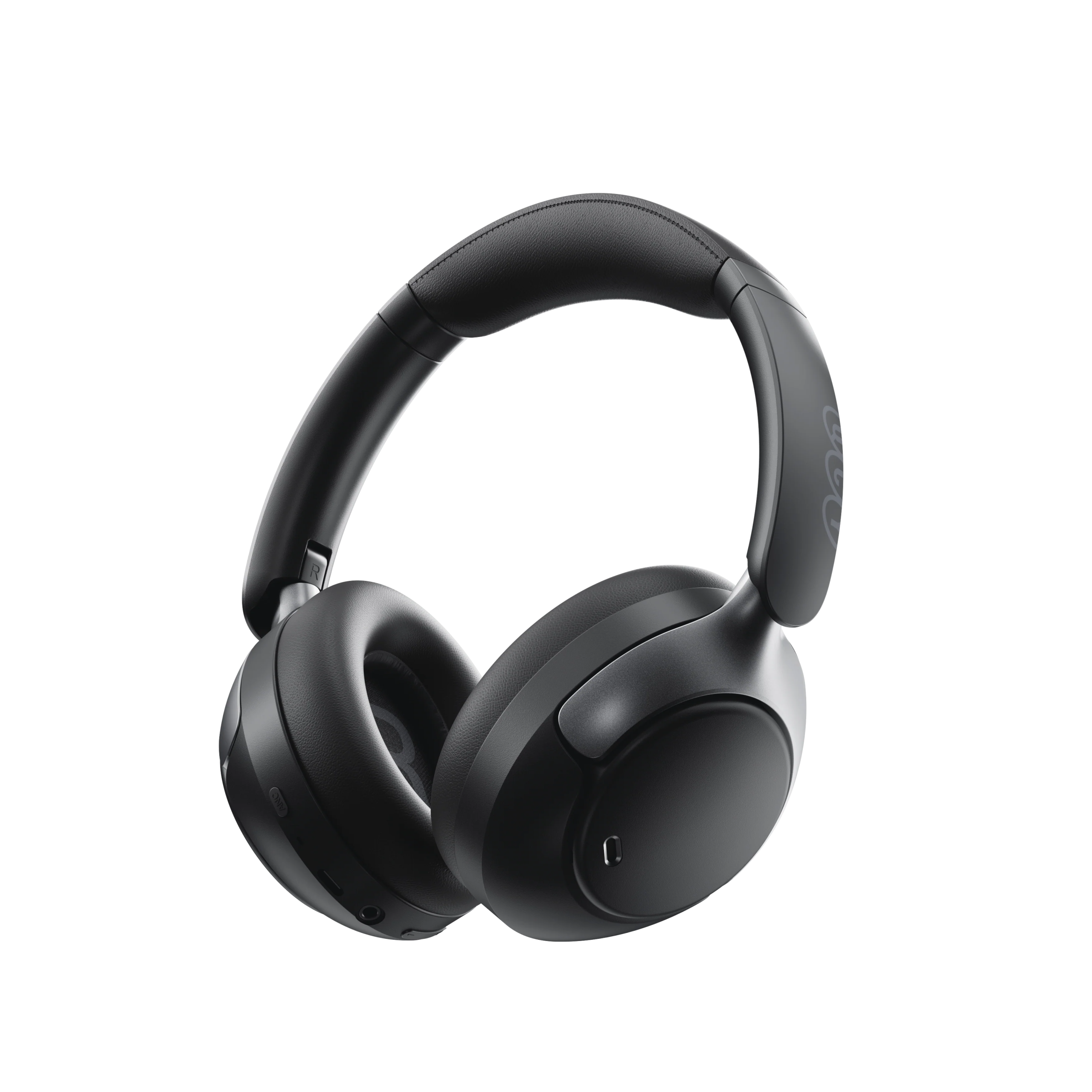
H3 Pro
Trova guide ai prodotti, soluzioni ai problemi, manuali e assistenza clienti.
Video di supporto
Domande frequenti
Cosa fare se l'aggiornamento del firmware non va a buon fine?
1. Verificare eventuali problemi relativi al segnale di rete, come il segnale cellulare o il segnale Wi-Fi.
2. Cerca di non uscire dalla pagina di background/aggiornamento durante il processo di aggiornamento.
Come aggiornare il firmware delle cuffie?
1. Collega le cuffie all'app QCY.
2. Vai su Impostazioni - Aggiornamento firmware.
3. Tocca “Aggiorna”.
4. Se non viene visualizzato alcun aggiornamento del firmware, significa che il firmware è già aggiornato.
Come si usa la funzione di localizzazione delle cuffie?
Gli auricolari possono essere utilizzati solo se collegati sia al Bluetooth del telefono che all'app.
1. Apri l’app QCY, vai su Impostazioni e tocca la funzione di localizzazione degli auricolari per visualizzarne la posizione esatta.
2. Tocca per riprodurre un suono e individuare gli auricolari ascoltando l'audio.
Come posso collegaregli auricolari all'app QCY?
1. Scarica l’app QCY.
L'app QCY è disponibile su dispositivi iOS e Android. Può essere installata dal Google Play Store o dall'App Store di Apple.
2. Collega gli auricolari QCY al tuo dispositivo tramite Bluetooth (ad esempio uno smartphone o un tablet)
3. Utilizza l'app QCY per un'esperienza d'uso ancora migliore.
Perché l'app QCY richiede l'accesso alla posizione?
L'app in sé non richiede normalmente l'accesso alla posizione. Tuttavia, quando si utilizza il Bluetooth Low Energy (BLE) per individuare gli auricolari, Android richiede l'autorizzazione alla localizzazione.
Se preferisci non condividere la tua posizione, chiudi l'app e prova a effettuare nuovamente l'accoppiamento.
Cosa devo fare se gli auricolari non vengono rilevati dall'app QCY?
Prima di tutto, assicurati che i servizi di localizzazione del telefono siano attivi.
2. Accedi alle impostazioni delle app del tuo telefono, individua le impostazioni relative alle autorizzazioni dell'app e imposta l'autorizzazione alla localizzazione su "disattiva".
3. Apri l'app, collega le cuffie e, quando in alto compare la richiesta di autorizzazione alla localizzazione, clicca su "Consenti localizzazione".
2. Apri l'app QCY. Quando viene visualizzata la richiesta di autorizzazione alla posizione, tocca "Consenti".
3.Aggiungi dispositivo e completa la connessione.
6. Accendi le cuffie e prova a cercare il link.
7. Se il problema persiste, prova a disinstallare l'app, quindi a cercare e scaricare nuovamente QCY dall'app store del tuo telefono.
Perché le mie cuffie non si accendono?
1. Assicurati che gli auricolari siano carichi.
2. Verifica che i gommini siano montati correttamente.
3. Se gli auricolari continuano a non accendersi dopo la ricarica, contatta il nostro centro assistenza.
La batteria dei miei auricolari si scarica troppo in fretta. Cosa posso fare?
Ciò potrebbe essere dovuto a un metodo di ricarica errato.
Si prega di scaricare completamente la batteria degli auricolari, quindi ricaricarli utilizzando un caricabatterie da 5 V per circa due ore.
Come faccio a controllare il livello di carica della batteria dell'auricolare?
Abbina gli auricolari all’app QCY sul tuo telefono per controllare il livello della batteria.
Per scaricare l'app, basta cercare "QCY" nel tuo app store.
Cosa posso fare se gli auricolari non si connettono al mio dispositivo?
1. Accedi al menu Bluetooth del tuo dispositivo ed elimina la registrazione di accoppiamento degli auricolari true wireless, quindi disattiva il Bluetooth.
2. Ripristina gli auricolari true wireless. Segui le istruzioni relative al tuo modello specifico, che puoi trovare nella guida rapida, nella sezione Domande frequenti (FAQ) della pagina del prodotto su QCY.com o sul canale YouTube di QCY.
3. Riattiva il Bluetooth sul tuo dispositivo, cerca i tuoi auricolari true wireless ed esegui l'accoppiamento.
Potresti anche:
Prova i tuoi auricolari true wireless con un altro dispositivo per verificare se il problema è dovuto a questioni di compatibilità.
Assicurarsi che non vi siano oggetti fisici che ostacolino la connessione Bluetooth.
Come collegare gli auricolari a due dispositivi contemporaneamente?
Per collegare due dispositivi:
1. Accoppiare gli auricolari al dispositivo A.
2. Disattiva il Bluetooth sul dispositivo A: gli auricolari entreranno in modalità di accoppiamento.
3. Accoppiare gli auricolari al dispositivo B.
4. Riattivare il Bluetooth sul dispositivo A e ricollegarsi agli auricolari.
Una volta completata questa configurazione iniziale, gli auricolari si collegheranno automaticamente a entrambi i dispositivi la prossima volta.
Come devo prendermi cura dei miei auricolari?
1. Usa regolarmente gli auricolari per evitare che la batteria si scarichi eccessivamente. Cerca di utilizzarli almeno una volta al mese.
2. Ricarica gli auricolari dopo ogni utilizzo e non aspettare che il livello di carica scenda al di sotto di 20% prima di ricaricarli.
3. Evitare di tirare l'archetto delle cuffie durante l'uso per prevenirne la rottura.
Come rimuovere i paraorecchie per la pulizia.
Usa la mano sinistra per maneggiare i padiglioni auricolari e la mano destra per maneggiare le cuffie. Ruota i padiglioni auricolari in senso antiorario con la mano sinistra per rimuoverli.
Come utilizzare una connessione via cavo per l'H3 Pro?
L’H3pro supporta la riproduzione tramite cavo da 3,5 mm o Type-C e consente di utilizzare il microfono e la funzione di cancellazione del rumore.
[Grazie alla porta Type-C, è possibile ricaricare e utilizzare le cuffie contemporaneamente, e la funzione di cancellazione del rumore può essere attivata in modo continuo. Con la porta da 3,5 mm, invece, per attivare la cancellazione del rumore è necessario che le cuffie siano accese.]
Come passare dalla modalità ANC a quella trasparenza e viceversa?
È possibile passare da una modalità all'altra all'interno dell'applicazione:
Percorso: Dispositivo -- Audio -- Attiva la cancellazione del rumore.
In alternativa, è possibile passare da una modalità all’altra premendo il pulsante ANC.
Cosa devo fare se l'auricolare funziona bene, ma non riesce a registrare la mia voce?.
Si prega di utilizzare la funzione di registrazione integrata nel telefono per verificare se è possibile registrare l'audio.
Non utilizzare altre app per eseguire questa operazione, poiché ciò potrebbe disattivare il microfono delle cuffie.
Se si effettuano o si ricevono chiamate, è necessario impostare le cuffie come dispositivo di ricezione predefinito.
Cosa posso fare se gli auricolari hanno una qualità audio scadente?
Puoi provare a seguire questi passaggi per la risoluzione dei problemi:
Prova diversi generi musicali e assicurati che la sorgente audio in ingresso sia priva di distorsioni o altri rumori.
Prova le diverse modalità di equalizzazione nell'app QCY e personalizza l'equalizzazione secondo i tuoi gusti.
Manuali
Hai ancora bisogno di aiuto?
 Chiamaci+1 (917) 807-6754
 Invia un feedbackInvia qui
 Chatta con noi
 Assistenza clientiservice@qcyearphone.com
 Marketing e collaborazionirice@qcyearphone.com
 Richieste della stampapr@qcyearphone.com